感謝回覆!
我在 Ubuntu 20.04 上使用 GNOME 3(GNOME Shell)。如果我開啟設定(gnome-control-center)並查看其中的鍵盤佈局,我列出的內容如下:
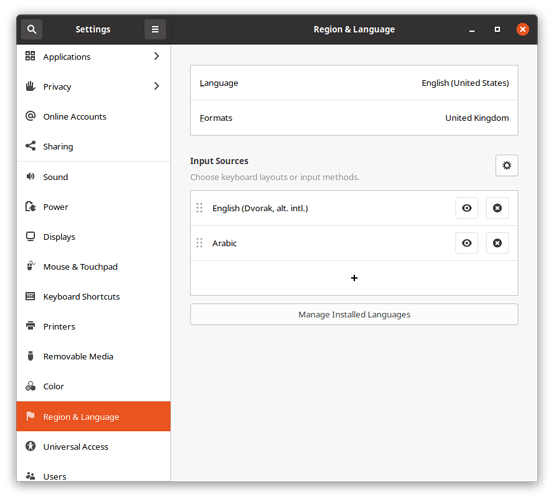
Screenshot from 2021-01-09 10-20-42871×786 48 KB
如果我搜尋應用程式「Ibus keyboards」,我找不到任何結果。然而,從命令列執行 ibus-setup 會得到以下結果:
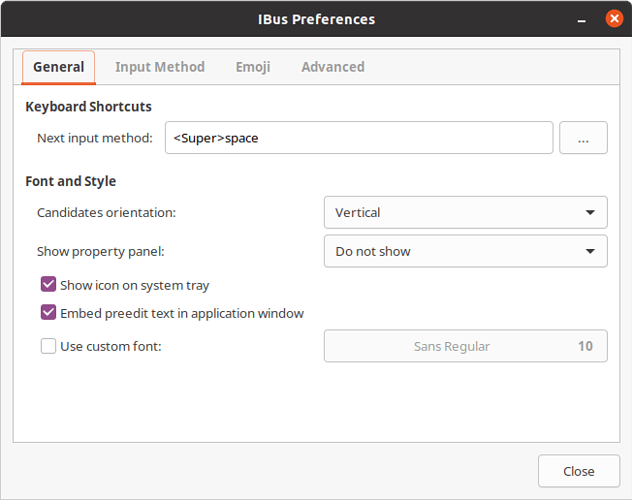
Screenshot from 2021-01-09 09-29-54653×516 30.4 KB
有趣的是,如果我點擊「Input Method」標籤頁,顯示的列表是空的,儘管我已經設定了 Dvorak 和阿拉伯語鍵盤:
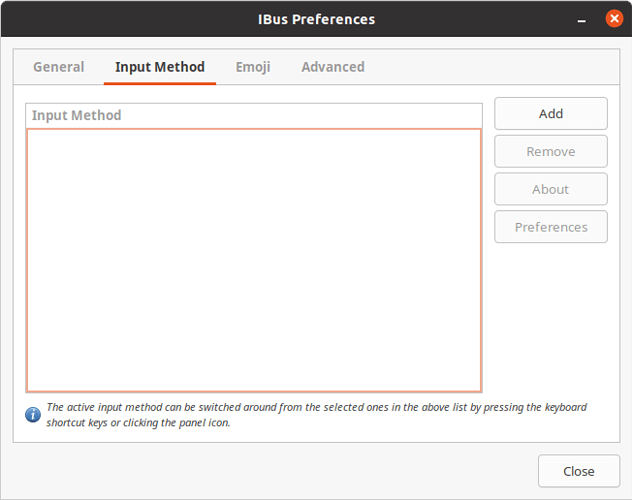
Screenshot from 2021-01-09 09-32-18653×516 21.7 KB
如果我啟動「Language Support」(gnome-language-selector),鍵盤輸入法系統似乎設定為「IBus」:
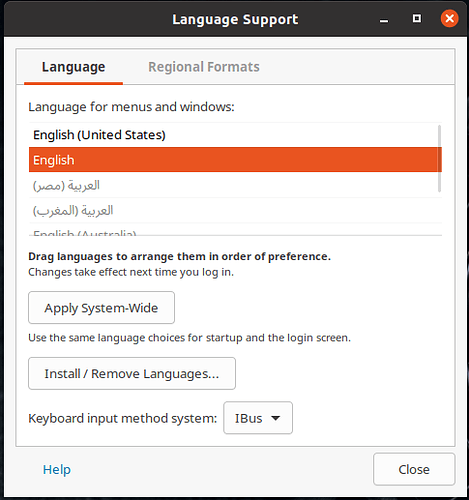
2021-01-09_09-27485×517 37 KB
使用 super+space 切換鍵盤佈局在 Ubuntu 上的其他所有應用程式中都有效,只是 Paratext 不行。當我按下這些按鈕時,頂欄中的鍵盤指示器會如預期般改變。我也可以使用滑鼠透過指示器來切換鍵盤佈局。從我的觀點來看,這裡的錯誤在於 Paratext。
Thanks for the answer!
I’m using GNOME 3 (GNOME Shell) on Ubuntu 20.04. If I open the Settings (gnome-control-center) and look at the keyboard layouts there, this is what I have listed:
Screenshot from 2021-01-09 10-20-42871×786 48 KB
If I search for the application “Ibus keyboards”, I don’t get any results. However, running ibus-setup from the command-line gets me this result:
Screenshot from 2021-01-09 09-29-54653×516 30.4 KB
Interestingly, if I click the “Input Method” tab, the list displayed is empty, even though I have both Dvorak and the Arabic keyboard set up:
Screenshot from 2021-01-09 09-32-18653×516 21.7 KB
If I launch “Language Support” (gnome-language-selector), it seems the keyboard input method system is set to “IBus”:
2021-01-09_09-27485×517 37 KB
Changing keyboard layouts using super+space works in every other application on Ubuntu, just not Paratext. The keyboard indicator in the top bar changes when I press those buttons, as expected. I can also change the keyboard layout using the indicator using the mouse. From my point of view, the bug here is in Paratext.
機器翻譯自 English








