Merci pour la réponse !
J’utilise GNOME 3 (GNOME Shell) sur Ubuntu 20.04. Si j’ouvre les Paramètres (gnome-control-center) et que je regarde les dispositions de clavier, voici ce qui est listé :
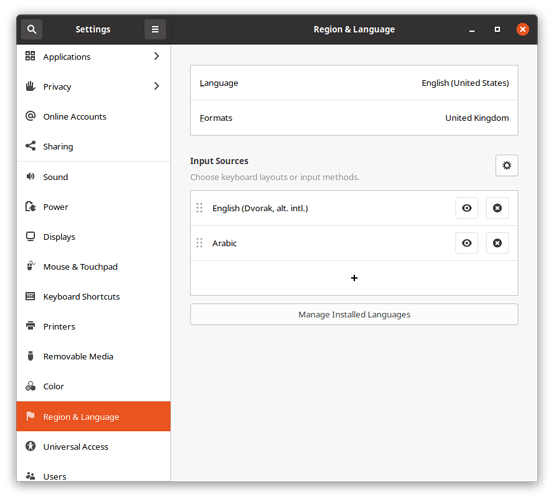
Screenshot from 2021-01-09 10-20-42871×786 48 KB
Si je cherche l’application « Ibus keyboards », je n’obtiens aucun résultat. Cependant, exécuter ibus-setup depuis la ligne de commande me donne ce résultat :
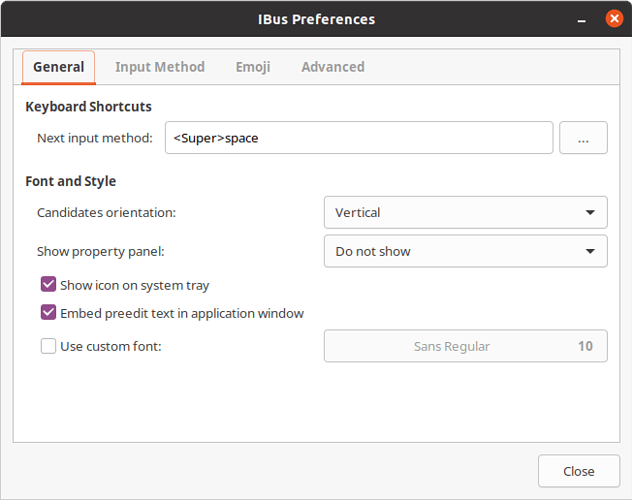
Screenshot from 2021-01-09 09-29-54653×516 30.4 KB
Intéressant, si je clique sur l’onglet « Input Method », la liste affichée est vide, même si j’ai configuré à la fois le clavier Dvorak et le clavier arabe :
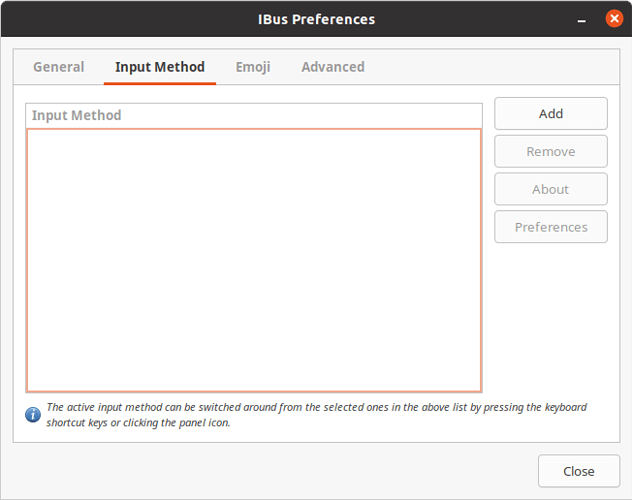
Screenshot from 2021-01-09 09-32-18653×516 21.7 KB
Si je lance « Language Support » (gnome-language-selector), il semble que le système de méthode de saisie du clavier soit réglé sur « IBus » :
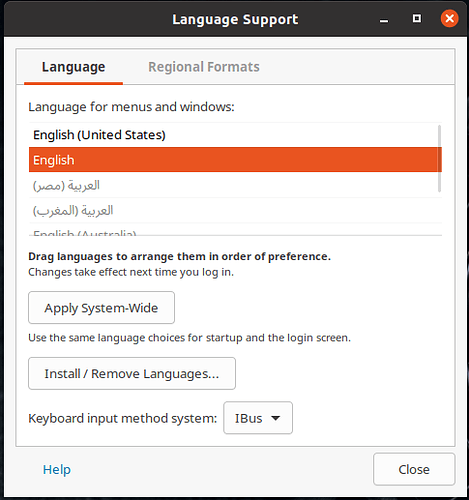
2021-01-09_09-27485×517 37 KB
Changer les dispositions de clavier en utilisant super+espace fonctionne dans toutes les autres applications sur Ubuntu, sauf dans Paratext. L’indicateur de clavier dans la barre supérieure change quand j’appuie sur ces touches, comme prévu. Je peux aussi changer la disposition du clavier en utilisant l’indicateur avec la souris. De mon point de vue, le bug se trouve dans Paratext.
Thanks for the answer!
I’m using GNOME 3 (GNOME Shell) on Ubuntu 20.04. If I open the Settings (gnome-control-center) and look at the keyboard layouts there, this is what I have listed:
Screenshot from 2021-01-09 10-20-42871×786 48 KB
If I search for the application “Ibus keyboards”, I don’t get any results. However, running ibus-setup from the command-line gets me this result:
Screenshot from 2021-01-09 09-29-54653×516 30.4 KB
Interestingly, if I click the “Input Method” tab, the list displayed is empty, even though I have both Dvorak and the Arabic keyboard set up:
Screenshot from 2021-01-09 09-32-18653×516 21.7 KB
If I launch “Language Support” (gnome-language-selector), it seems the keyboard input method system is set to “IBus”:
2021-01-09_09-27485×517 37 KB
Changing keyboard layouts using super+space works in every other application on Ubuntu, just not Paratext. The keyboard indicator in the top bar changes when I press those buttons, as expected. I can also change the keyboard layout using the indicator using the mouse. From my point of view, the bug here is in Paratext.
Traduit automatiquement depuis English








