Obrigado pela resposta!
Estou usando GNOME 3 (GNOME Shell) no Ubuntu 20.04. Se eu abrir as Configurações (gnome-control-center) e olhar para os layouts de teclado lá, esta é a lista que tenho:
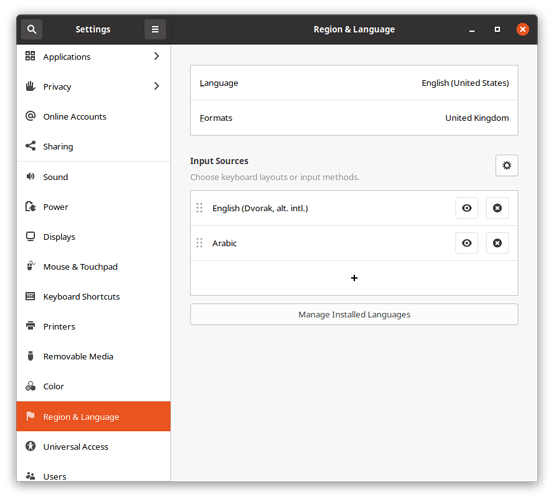
Captura de tela de 2021-01-09 10-20-42871×786 48 KB
Se eu pesquisar pelo aplicativo “Ibus keyboards”, não obtenho nenhum resultado. No entanto, executar ibus-setup pela linha de comando me dá este resultado:
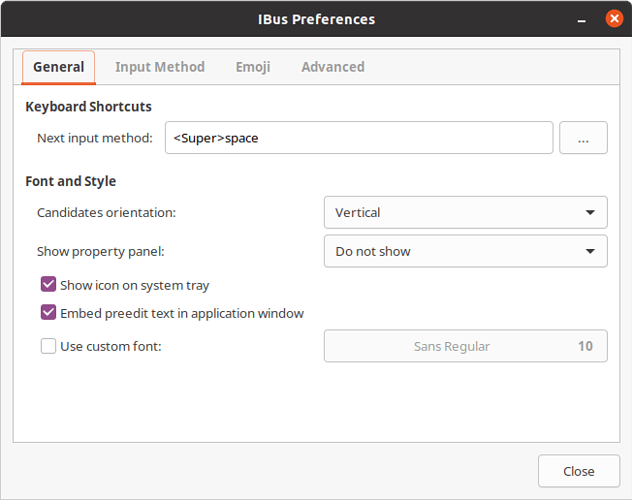
Captura de tela de 2021-01-09 09-29-54653×516 30.4 KB
Curiosamente, se eu clicar na aba “Input Method” (Método de Entrada), a lista exibida está vazia, mesmo que eu tenha configurado tanto o teclado Dvorak quanto o teclado árabe:
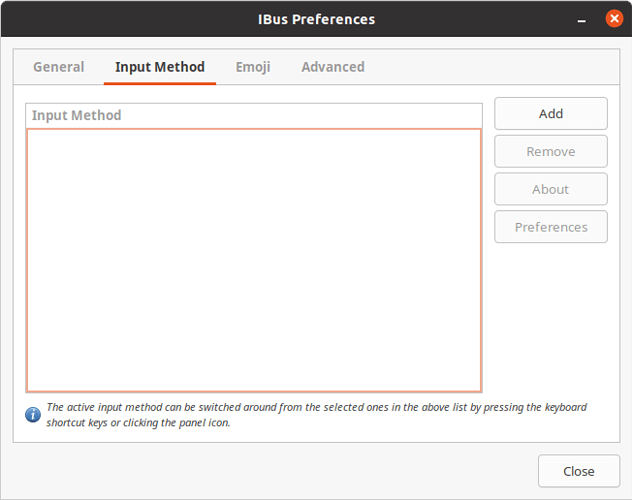
Captura de tela de 2021-01-09 09-32-18653×516 21.7 KB
Se eu iniciar o “Language Support” (Suporte a Idiomas) (gnome-language-selector), parece que o sistema de método de entrada de teclado está definido como “IBus”:
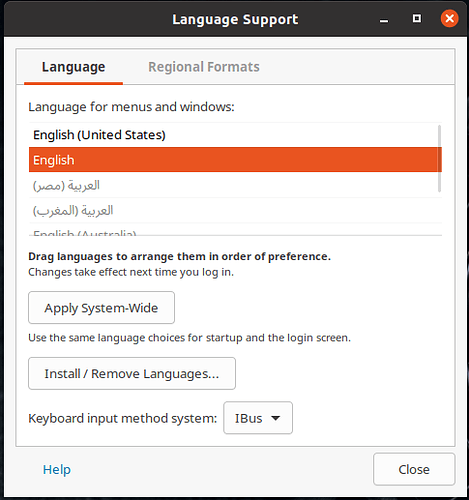
2021-01-09_09-27485×517 37 KB
Alterar os layouts de teclado usando super+espaço funciona em todos os outros aplicativos no Ubuntu, apenas não no Paratext. O indicador de teclado na barra superior muda quando eu pressiono esses botões, como esperado. Também posso alterar o layout do teclado usando o indicador com o mouse. Do meu ponto de vista, o bug aqui está no Paratext.
Thanks for the answer!
I’m using GNOME 3 (GNOME Shell) on Ubuntu 20.04. If I open the Settings (gnome-control-center) and look at the keyboard layouts there, this is what I have listed:
Screenshot from 2021-01-09 10-20-42871×786 48 KB
If I search for the application “Ibus keyboards”, I don’t get any results. However, running ibus-setup from the command-line gets me this result:
Screenshot from 2021-01-09 09-29-54653×516 30.4 KB
Interestingly, if I click the “Input Method” tab, the list displayed is empty, even though I have both Dvorak and the Arabic keyboard set up:
Screenshot from 2021-01-09 09-32-18653×516 21.7 KB
If I launch “Language Support” (gnome-language-selector), it seems the keyboard input method system is set to “IBus”:
2021-01-09_09-27485×517 37 KB
Changing keyboard layouts using super+space works in every other application on Ubuntu, just not Paratext. The keyboard indicator in the top bar changes when I press those buttons, as expected. I can also change the keyboard layout using the indicator using the mouse. From my point of view, the bug here is in Paratext.
Tradução automática de English








