Terima kasih atas jawabannya!
Saya menggunakan GNOME 3 (GNOME Shell) di Ubuntu 20.04. Jika saya membuka Pengaturan (gnome-control-center) dan melihat tata letak keyboard di sana, inilah yang tercantum:
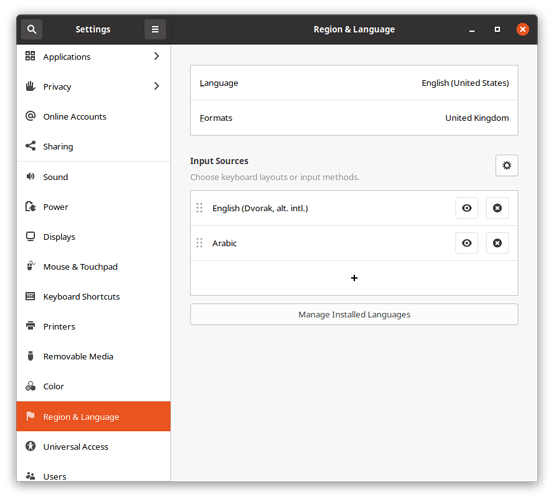
Screenshot from 2021-01-09 10-20-42871×786 48 KB
Jika saya mencari aplikasi “Ibus keyboards”, saya tidak mendapatkan hasil apa pun. Namun, menjalankan ibus-setup dari baris perintah menghasilkan hasil ini:
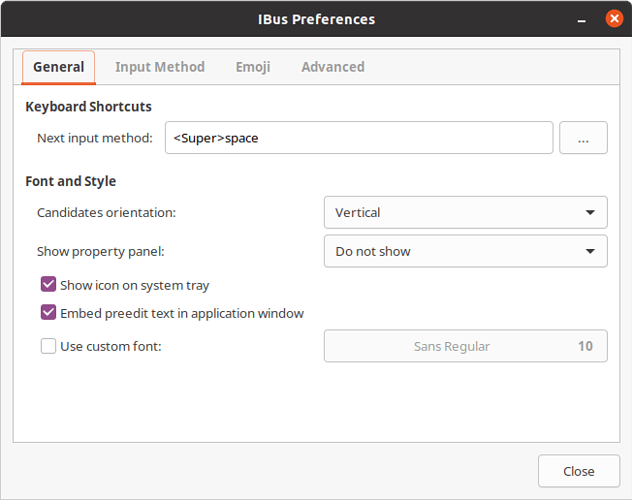
Screenshot from 2021-01-09 09-29-54653×516 30.4 KB
Menariknya, jika saya mengklik tab “Input Method”, daftar yang ditampilkan kosong, meskipun saya telah mengatur keyboard Dvorak dan Arab:
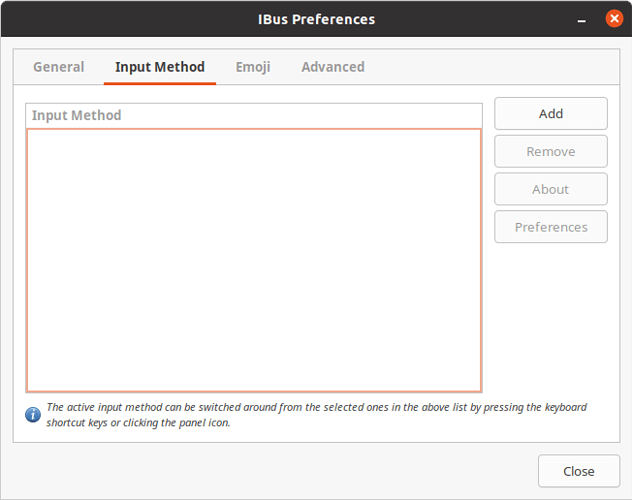
Screenshot from 2021-01-09 09-32-18653×516 21.7 KB
Jika saya meluncurkan “Language Support” (gnome-language-selector), tampaknya sistem metode input keyboard diatur ke “IBus”:
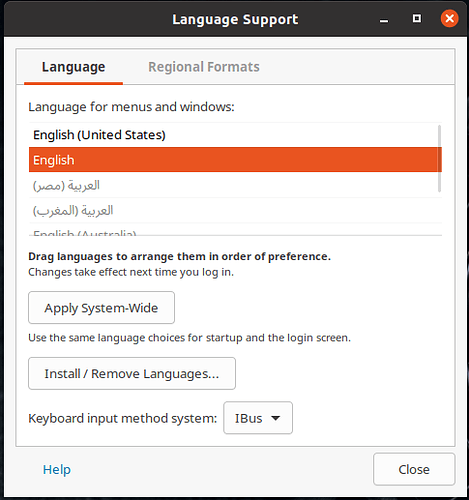
2021-01-09_09-27485×517 37 KB
Mengubah tata letak keyboard menggunakan super+space berhasil di setiap aplikasi lain di Ubuntu, hanya tidak di Paratext. Indikator keyboard di bilah atas berubah ketika saya menekan tombol-tombol tersebut, seperti yang diharapkan. Saya juga dapat mengubah tata letak keyboard menggunakan indikator dengan mouse. Dari sudut pandang saya, bug di sini ada di Paratext.
Thanks for the answer!
I’m using GNOME 3 (GNOME Shell) on Ubuntu 20.04. If I open the Settings (gnome-control-center) and look at the keyboard layouts there, this is what I have listed:
Screenshot from 2021-01-09 10-20-42871×786 48 KB
If I search for the application “Ibus keyboards”, I don’t get any results. However, running ibus-setup from the command-line gets me this result:
Screenshot from 2021-01-09 09-29-54653×516 30.4 KB
Interestingly, if I click the “Input Method” tab, the list displayed is empty, even though I have both Dvorak and the Arabic keyboard set up:
Screenshot from 2021-01-09 09-32-18653×516 21.7 KB
If I launch “Language Support” (gnome-language-selector), it seems the keyboard input method system is set to “IBus”:
2021-01-09_09-27485×517 37 KB
Changing keyboard layouts using super+space works in every other application on Ubuntu, just not Paratext. The keyboard indicator in the top bar changes when I press those buttons, as expected. I can also change the keyboard layout using the indicator using the mouse. From my point of view, the bug here is in Paratext.
Diterjemahkan secara otomatis dari English








