你好。
正如其他相关回答所述,语言代码必须完全相同。不仅是前三个字母,还包括后续的任何字符。
在你关于 ZTO 项目的截图中,Paratext 中的代码是 "npi",而在 FLEx 中是 "ne"。
请注意,FLEx 中需要匹配的字段不是 "Abreviation"(缩写)字段,而是 "Code"(代码)后面的内容。
对于 LZZ 项目,Paratext 和 FLEx 似乎都使用了相同的代码 "lzz-TR"。你是否关闭并重新打开了 Paratext 以建立关联?我曾遇到过这种情况:如果在 FLEx 中更改了母语语言设置,必须关闭并重新打开 Paratext,它才能实际读取到更改。
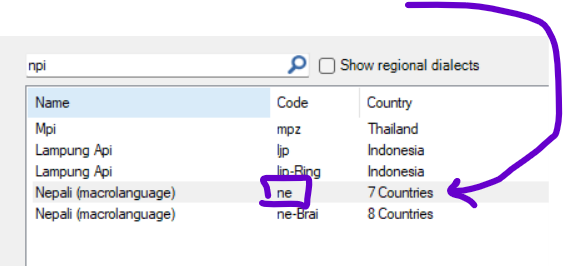
为了再次检查,你可以定义它们将保留哪个语言代码。如果保留 Paratext 中的代码,那么对于 FLEx 中的更改,你可以 1) 查找完全匹配的语言代码(包括连字符和额外字母):
或者 2) 使用 "Advanced"(高级)选项来添加额外设置。
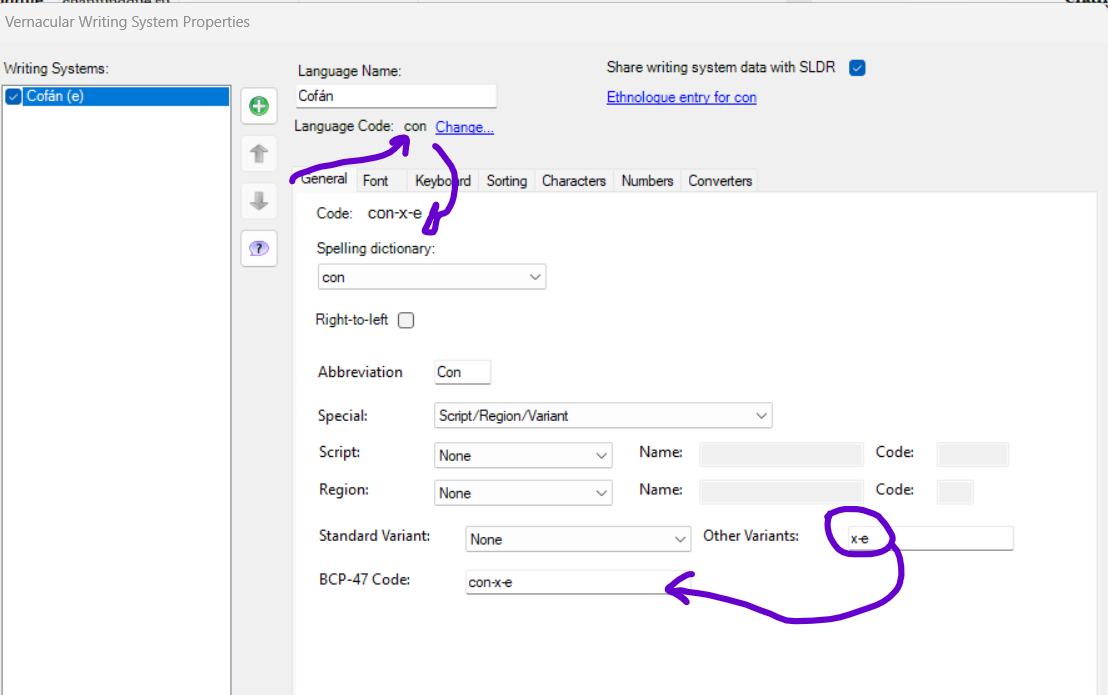
例如,我们曾遇到一个案例,由于与 Windows 冲突,无法使用 "con" 语言代码。为了解决这个问题,我们使用了高级选项,并在 "Other Variants"(其他变体)中为该语言添加了变体。
你的第二个项目可能也是这种情况:
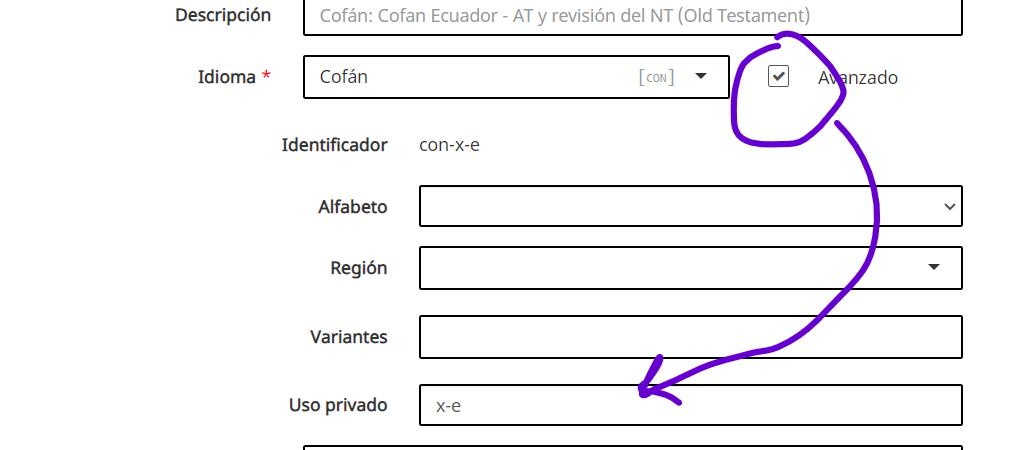
如果你需要在 Paratext 中更改语言,管理员可以从 Web 端执行此操作:
希望这对你有帮助。
此致,
Pepe.
Hola.
As ne the other related answer, the language codes must be exactly the same. Not only in the initial 3 letters, but in any character that follows.
In your image about the ZTO project, in Paratext the code is "npi", but in Flex it is "ne".
Note that the field that must match in Flex is not the "Abreviation" field but what follows after "Code".
For the LZZ project, it looks like you do have the same code "lzz-TR", for Paratext and Flex. Did you close Paratext and reopen it to make the association? It has happened to me that if I change something in the vernacular language setting in Flex, I have to close and reopen Paratext so that it actually reads the change.
To check again, you can define which language code they will keep. If it will be the one in Paratext, then for the change in Flex you can 1) look for the exact matching language code (with dashes and extra letters):
or 2) use the "Advanced" option to add extra settings.
As an example, we had a case where we could not use the "con" language code because of conflicts with Windows. To solve this we used the advanced options and added variations to the language in "Other Variants".
This could be the case for your second project:
If you need to change the language in Paratext, this can be done by an Administrator from the Web:
I hope it will be useful.
Saludos,
Pepe.
机器翻译自 Español








