在显示文本集合时,每个节的内容会显示在单独的一行上。如果该节包含换行符,它们会被简单地替换为斜杠,如下所示:
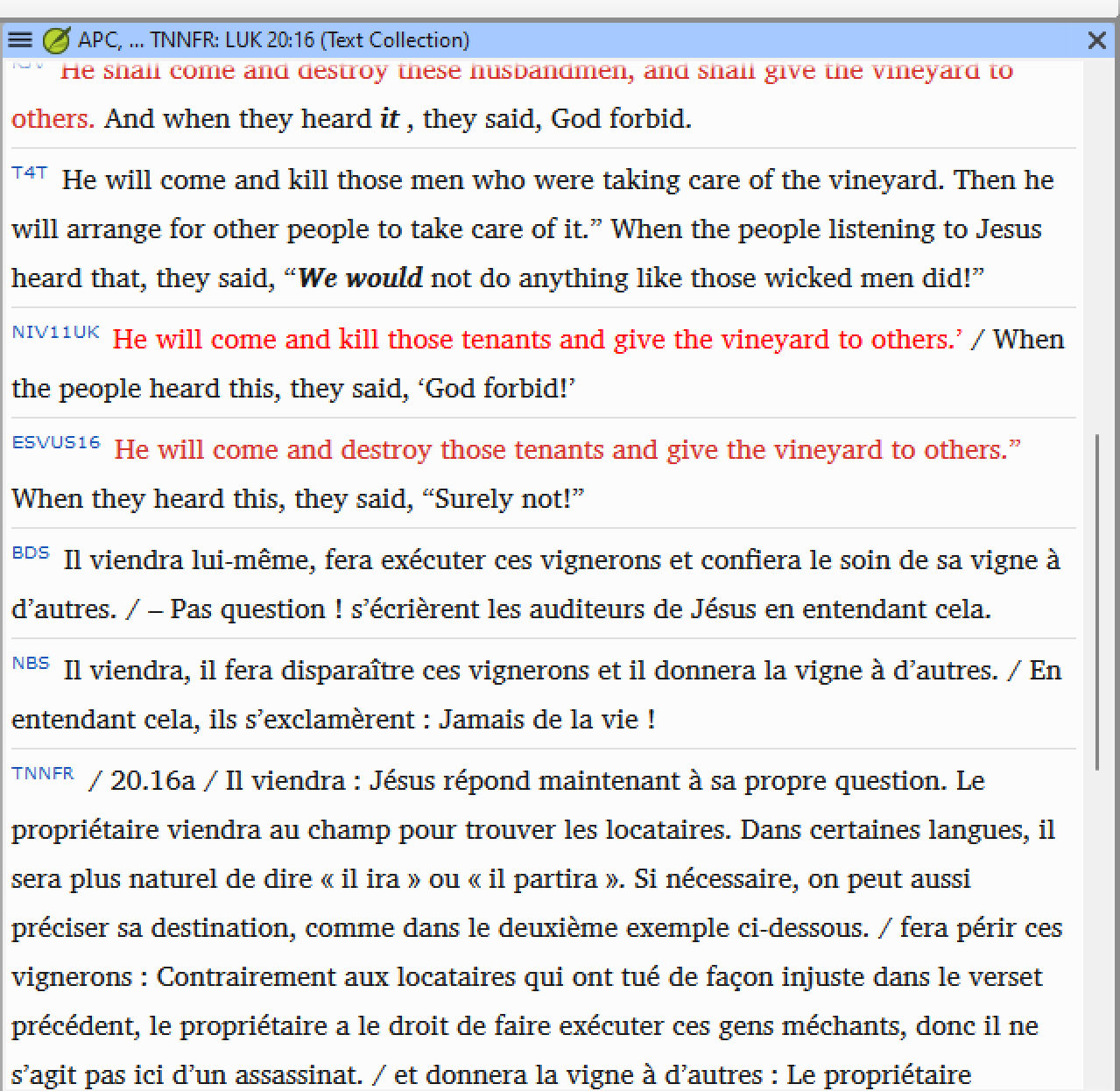
image1279×1246 62.8 KB
我希望节内的换行符能显示为新的行,而不是被删除并替换为斜杠。这对于实际上是注释的资源(例如 TNNFR)特别有用。如果没有这些本应存在的换行符,阅读大段文字会很难跟上。是否有选项可以启用此功能?
我知道我可以点击某个版本以带格式显示该节的上下文。这确实很有帮助,但如果能在文本集合视图中比较不同资源中同一节时启用换行符,那就更有帮助了。
When displaying a text collection, the verse from each verse is displayed on each line. If that verse contains new lines, it is simply replaced with a slash, like this:
image1279×1246 62.8 KB
I would like to have the newlines in a verse displayed as a new line, instead of being removed and replaced with a slash. This would be especially useful for resources that are in fact commentaires, such as TNNFR. It’s hard to follow the wall of text without the newlines that are supposed to be there. Is there an option to enable this?
I know I can click on a version to display the verse in context with formatting. That’s really helpful, but it would be even more helpful if I could enable newlines in the text collection view comparing the same verse in different resources.
机器翻译自 English








