在 RTL 文件中,我無法在表格儲存格中將數字作為第一個字元輸入,除非加入不需要的標記和空格,否則會產生檢查錯誤。這些錯誤似乎在使用任何類型的數字緊接在表格儲存格標記之後時都會發生。我想知道:這是錯誤、功能,還是我的操作有誤?
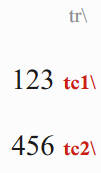
案例 1 如果數字直接緊接在儲存格標記之後,表格儲存格根本不會顯示:
\tr \tc1 123 \tc2 456
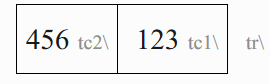
案例 2 如果加入一個從左到右的字元,表格儲存格會正確顯示,但會引發「數字設定」錯誤:
\tr \tc1 [LTR]123 \tc2 [LTR]456
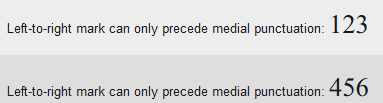
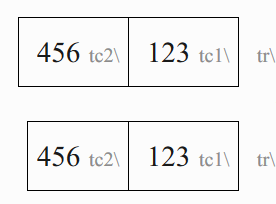
案例 3 如果加入一個從左到右的字元以及空格,表格儲存格會正確顯示且不會引發錯誤,但這會在儲存格中增加額外的空格。請參閱:
\tr \tc1 [LTR] 123 \tc2 [LTR] 456

\tr \tc1 [LTR]123 \tc2 [LTR]456
I am not able to put numbers as the first characters in a table cell in a RTL document without adding unwanted markers and spaces, or getting checking errors. These errors seem to occur using any type of digit following a table cell marker. I want to know: Is this a bug, a feature, or am I doing something wrong?
Case 1 A table cell does not display at all if numbers directly follow the cell marker:
\tr \tc1 123 \tc2 456
Case 2 The table cell displays correctly if a left-to-right character is added, however a Number Settings error is raised:
\tr \tc1 [LTR]123 \tc2 [LTR]456
Case 3 The table cell displays correctly and no error is raised if a left-to-right character and space is added, however this adds extra space to the cell. C.f.:
\tr \tc1 [LTR] 123 \tc2 [LTR] 456

\tr \tc1 [LTR]123 \tc2 [LTR]456
機器翻譯自 English








