所以在「聖經術語」(Biblical Terms)工具中,我前往「所有聖經術語」(All Biblical Terms)清單。我想新增一個希伯來文單詞,意思是「羊群(羊和/或山羊)」:
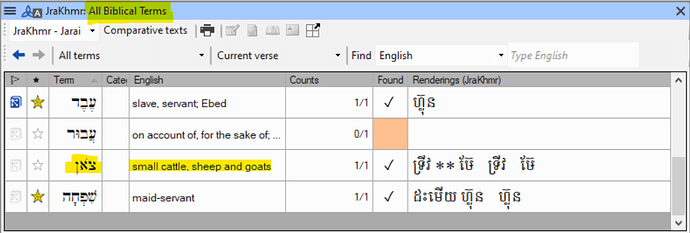
image988×335 67.4 KB
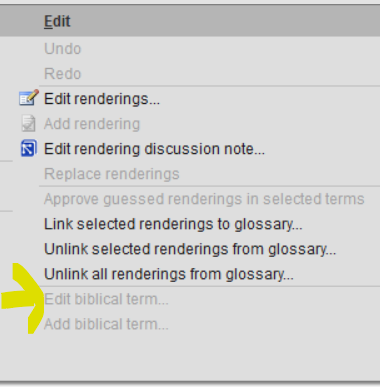
如果我在此清單中選取該術語,然後前往「編輯」(Edit)選單,是無法執行「編輯聖經術語」(Edit biblical term)的(這很合理,因為這個清單來自 Paratext):
現在我將它標記為星號,以便將其新增到我的專案聖經術語清單中:

現在我回到我的專案聖經術語清單,它就在那裡。但是……釋義(gloss)改變了!看這裡:
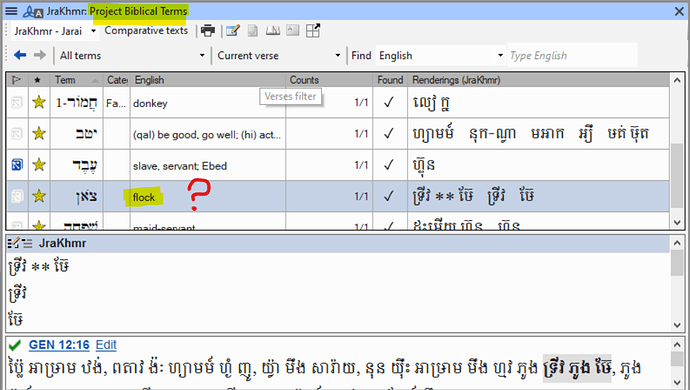
image992×562 119 KB
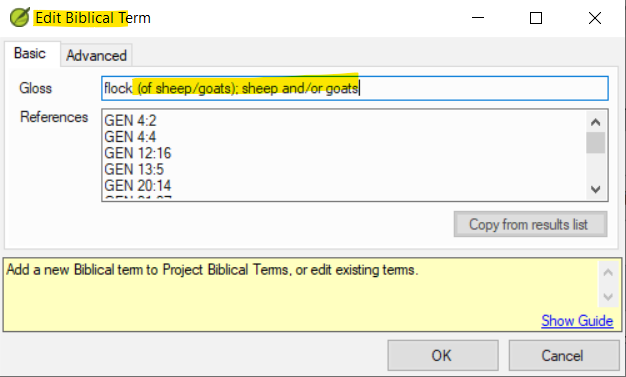
所以我想,既然它現在在我的專案中,我應該可以編輯該術語了。所以我選取該術語,前往「編輯」>「編輯聖經術語」(Edit > Edit Biblical Term),它沒有變灰。所以我點擊並得到:
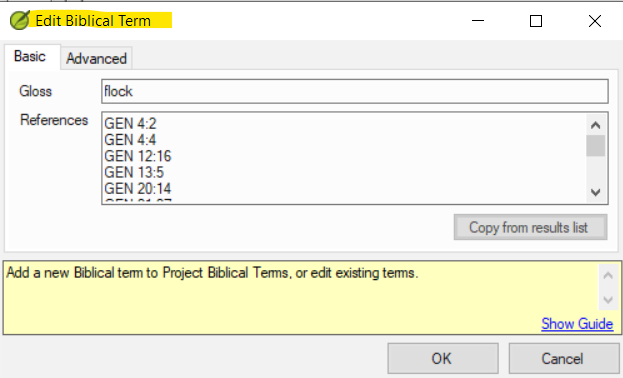
我進行編輯(並點擊確定):
結果是:

(如果我嘗試再次編輯,我會發現該術語確實已恢復為簡單的“flock”)
兩個問題:
- 為什麼當我把術語新增到我的專案清單時,聖經術語中的釋義有時(但不總是)會改變?
- 有沒有辦法修復這個問題(透過編輯或其他方式)?
理想情況下,無論項目出現在「主」清單還是專案清單中,聖經術語清單中的條目都應該是一樣的。如果不行,那麼能夠編輯條目會很好。
So in the Biblical Terms tool I go to the All Biblical Terms list. I want to add the Hebrew word that means ‘flock (of sheep and/or goats)’:
image988×335 67.4 KB
If I select the term in this list and then go to the Edit menu, it is not possible to “Edit biblical term” (which is sensible, since this is a list that comes from Paratext):
Now I star it so it’s added to my Project biblical terms list:
Now I return to my Project biblical terms list and there it is. But … the gloss has changed! Look:
image992×562 119 KB
So I think, well, I can edit the term now that it’s in my project. So I select the term, go to Edit > Edit Biblical Term, and it’s not greyed out. So I click and get:
I edit (and click okay):
And the result is:
(If I try editing again, I see that the term really has reverted to simply “flock”)
Two questions:
- Why do glosses in a biblical term sometimes (but not always) change when I add the term to my project list?
- Is there a way to fix this (either by editing, or by some other means)?
Ideally, entries in a biblical terms list would be identical whether the item is appearing in the “master” list or in the project list. If not, then it would be nice to be able to edit entries.
機器翻譯自 English








