Então, na ferramenta Biblical Terms (Termos Bíblicos), vou para a lista All Biblical Terms (Todos os Termos Bíblicos). Quero adicionar a palavra hebraica que significa ‘rebanho (de ovelhas e/ou cabras)’:
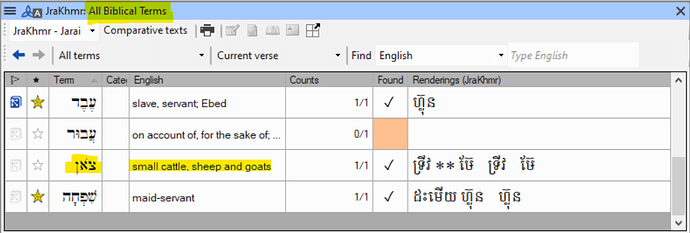
imagem988×335 67.4 KB
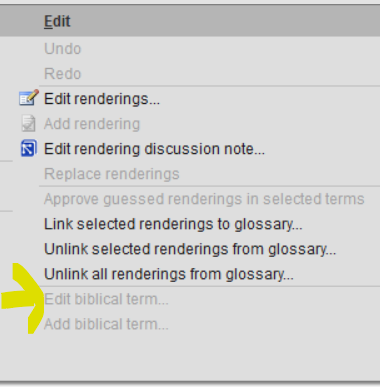
Se eu selecionar o termo nesta lista e depois for para o menu Edit (Editar), não é possível “Edit biblical term” (Editar termo bíblico) (o que faz sentido, já que esta é uma lista que vem do Paratext):
Agora eu marco com uma estrela para que seja adicionado à minha lista de termos bíblicos do projeto:

Agora eu retorno à minha lista de termos bíblicos do projeto e lá está. Mas … a glosa mudou! Olhe:
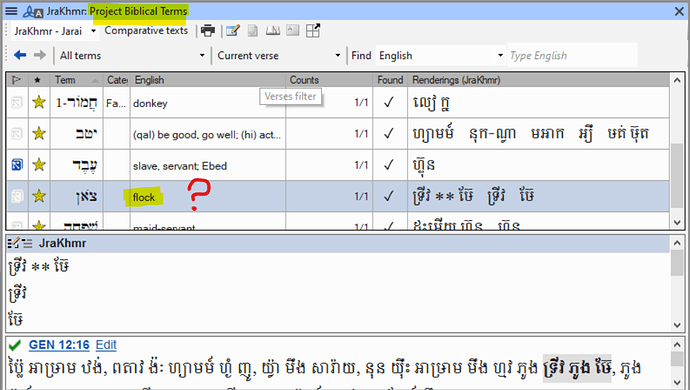
imagem992×562 119 KB
Então eu penso, bem, agora que está no meu projeto, posso editar o termo. Então eu seleciono o termo, vou para Edit > Edit Biblical Term (Editar > Editar Termo Bíblico) e não está acinzentado. Então eu clico e obtenho:
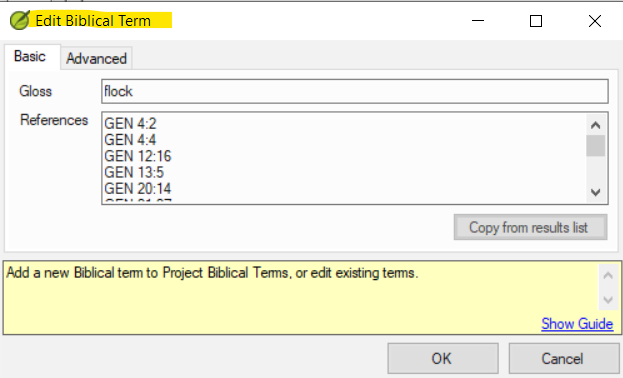
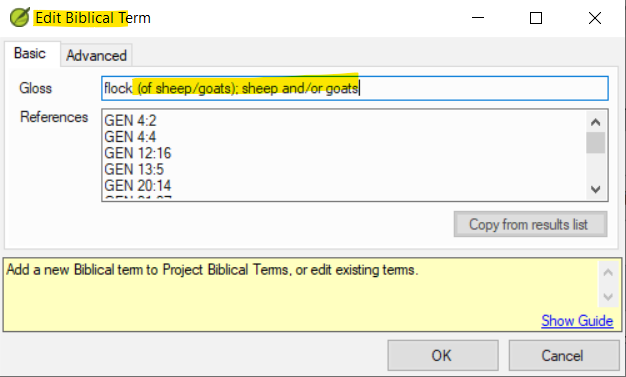
Eu edito (e clico em OK):
E o resultado é:

(Se eu tentar editar novamente, vejo que o termo realmente voltou a ser apenas “flock” [rebanho])
Duas perguntas:
- Por que as glosas em um termo bíblico às vezes (mas nem sempre) mudam quando eu adiciono o termo à minha lista do projeto?
- Há uma maneira de corrigir isso (seja editando, ou por algum outro meio)?
Idealmente, as entradas em uma lista de termos bíblicos seriam idênticas, independentemente de o item estar aparecendo na lista “mestra” ou na lista do projeto. Se não for o caso, seria bom poder editar as entradas.
So in the Biblical Terms tool I go to the All Biblical Terms list. I want to add the Hebrew word that means ‘flock (of sheep and/or goats)’:
image988×335 67.4 KB
If I select the term in this list and then go to the Edit menu, it is not possible to “Edit biblical term” (which is sensible, since this is a list that comes from Paratext):
Now I star it so it’s added to my Project biblical terms list:
Now I return to my Project biblical terms list and there it is. But … the gloss has changed! Look:
image992×562 119 KB
So I think, well, I can edit the term now that it’s in my project. So I select the term, go to Edit > Edit Biblical Term, and it’s not greyed out. So I click and get:
I edit (and click okay):
And the result is:
(If I try editing again, I see that the term really has reverted to simply “flock”)
Two questions:
- Why do glosses in a biblical term sometimes (but not always) change when I add the term to my project list?
- Is there a way to fix this (either by editing, or by some other means)?
Ideally, entries in a biblical terms list would be identical whether the item is appearing in the “master” list or in the project list. If not, then it would be nice to be able to edit entries.








