Dans l'outil Biblical Terms, je vais donc dans la liste All Biblical Terms. Je veux ajouter le mot hébreu qui signifie « troupeau (de moutons et/ou de chèvres) » :
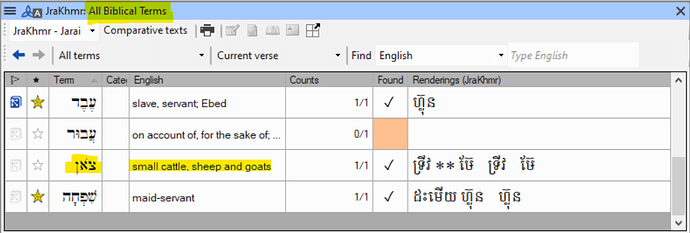
image988×335 67.4 KB
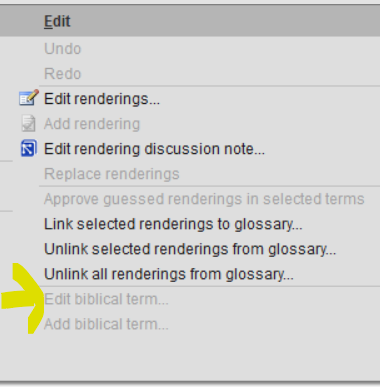
Si je sélectionne le terme dans cette liste puis que je vais dans le menu Edit, il n'est pas possible de choisir « Edit biblical term » (ce qui est logique, puisque cette liste provient de Paratext) :
Je le marque maintenant d'une étoile pour qu'il soit ajouté à ma liste de termes bibliques du projet (Project biblical terms list) :

Je retourne maintenant dans ma liste de termes bibliques du projet et il y est. Mais … le glossaire a changé ! Regardez :
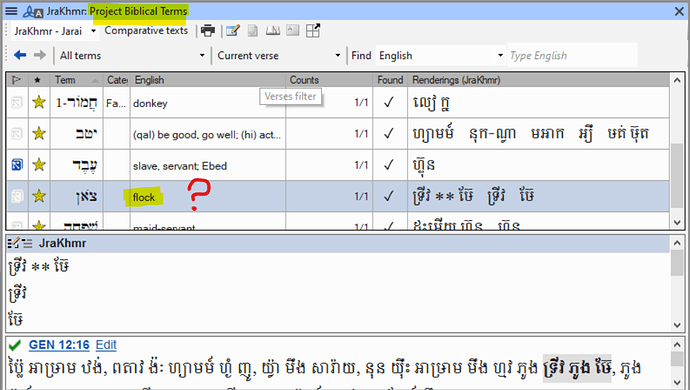
image992×562 119 KB
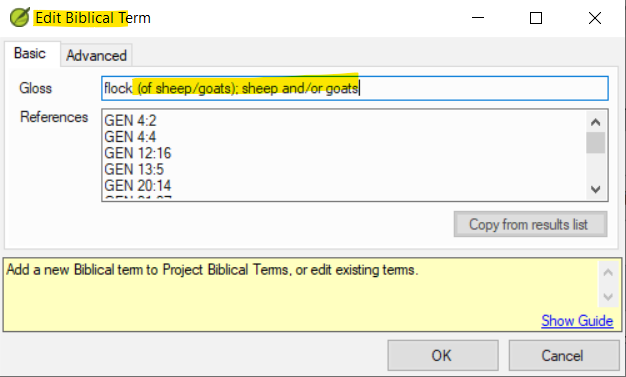
Je pense donc que je peux maintenant modifier le terme puisqu'il est dans mon projet. Je sélectionne donc le terme, je vais dans Edit > Edit Biblical Term, et l'option n'est pas grisée. Je clique dessus et j'obtiens :
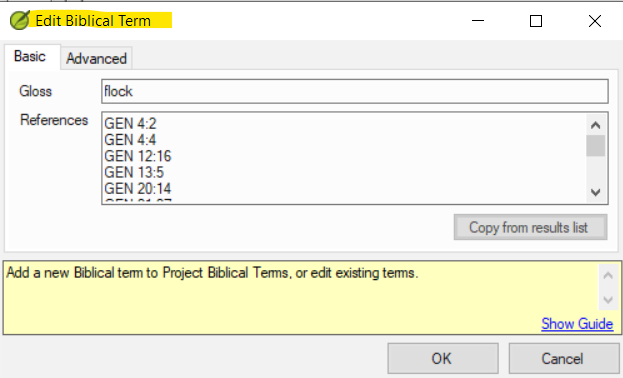
Je modifie (et je clique sur OK) :
Et le résultat est :

(Si j'essaie de modifier à nouveau, je vois que le terme est réellement revenu à simplement « flock »)
Deux questions :
- Pourquoi les glossaires d'un terme biblique changent-ils parfois (mais pas toujours) lorsque j'ajoute le terme à ma liste de projet ?
- Y a-t-il un moyen de corriger cela (soit en modifiant, soit par un autre moyen) ?
Idealement, les entrées d'une liste de termes bibliques devraient être identiques, que l'élément apparaisse dans la liste « maître » ou dans la liste du projet. Sinon, il serait agréable de pouvoir modifier les entrées.
So in the Biblical Terms tool I go to the All Biblical Terms list. I want to add the Hebrew word that means ‘flock (of sheep and/or goats)’:
image988×335 67.4 KB
If I select the term in this list and then go to the Edit menu, it is not possible to “Edit biblical term” (which is sensible, since this is a list that comes from Paratext):
Now I star it so it’s added to my Project biblical terms list:
Now I return to my Project biblical terms list and there it is. But … the gloss has changed! Look:
image992×562 119 KB
So I think, well, I can edit the term now that it’s in my project. So I select the term, go to Edit > Edit Biblical Term, and it’s not greyed out. So I click and get:
I edit (and click okay):
And the result is:
(If I try editing again, I see that the term really has reverted to simply “flock”)
Two questions:
- Why do glosses in a biblical term sometimes (but not always) change when I add the term to my project list?
- Is there a way to fix this (either by editing, or by some other means)?
Ideally, entries in a biblical terms list would be identical whether the item is appearing in the “master” list or in the project list. If not, then it would be nice to be able to edit entries.
Traduit automatiquement depuis English








