所以在“圣经术语”(Biblical Terms)工具中,我进入“所有圣经术语”(All Biblical Terms)列表。我想添加一个希伯来语单词,意思是“羊群(绵羊和/或山羊)”:
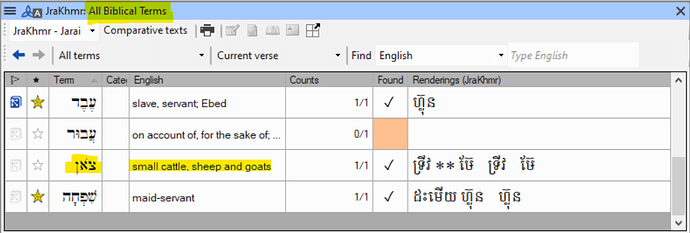
image988×335 67.4 KB
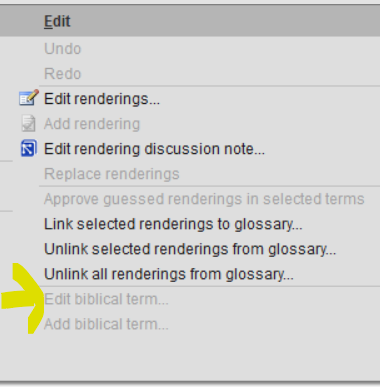
如果我在该列表中选中该术语,然后转到“编辑”(Edit)菜单,是无法选择“编辑圣经术语”(Edit biblical term)的(这是合理的,因为该列表来自 Paratext):
现在我给它加星号,以便将其添加到我的“项目圣经术语”(Project biblical terms)列表中:

现在我回到我的“项目圣经术语”列表,它就在那里。但是……释义(gloss)变了!请看:
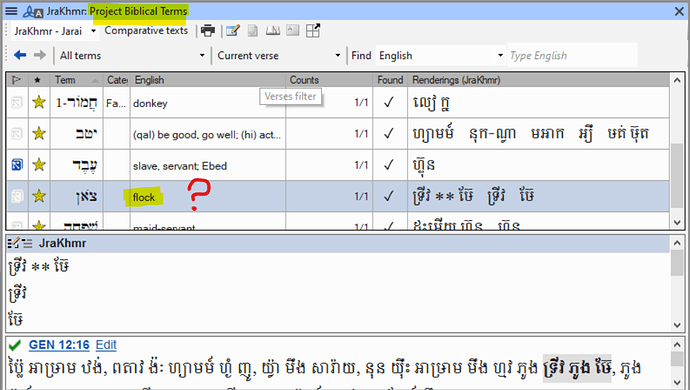
image992×562 119 KB
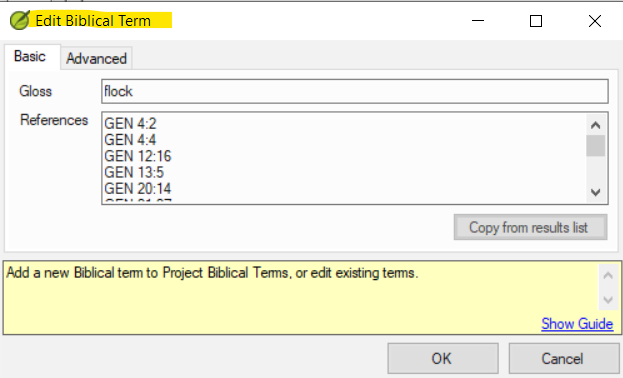
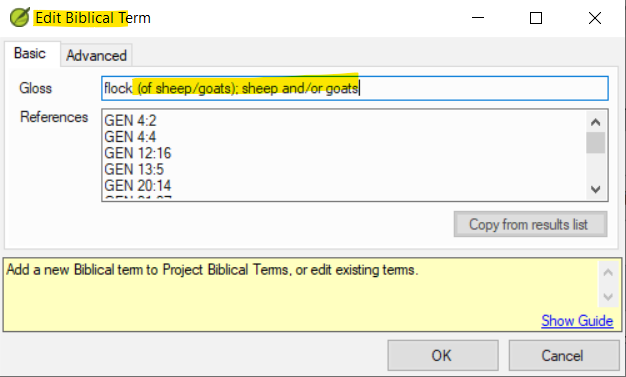
于是我想,既然它现在在我的项目中,我应该可以编辑该术语了。所以我选中该术语,转到“编辑”(Edit)> “编辑圣经术语”(Edit Biblical Term),它没有变灰。所以我点击它,得到:
我进行编辑(并点击确定):
结果是:

(如果我再次尝试编辑,我发现该术语确实已恢复为简单的“flock”)
两个问题:
- 为什么当我将术语添加到我的项目列表时,圣经术语中的释义有时会(但并非总是)发生变化?
- 有没有办法修复这个问题(无论是通过编辑还是其他手段)?
理想情况下,无论条目出现在“主”列表还是项目列表中,圣经术语列表中的条目都应该是相同的。如果不能做到这一点,那么能够编辑条目也是很好的。
So in the Biblical Terms tool I go to the All Biblical Terms list. I want to add the Hebrew word that means ‘flock (of sheep and/or goats)’:
image988×335 67.4 KB
If I select the term in this list and then go to the Edit menu, it is not possible to “Edit biblical term” (which is sensible, since this is a list that comes from Paratext):
Now I star it so it’s added to my Project biblical terms list:
Now I return to my Project biblical terms list and there it is. But … the gloss has changed! Look:
image992×562 119 KB
So I think, well, I can edit the term now that it’s in my project. So I select the term, go to Edit > Edit Biblical Term, and it’s not greyed out. So I click and get:
I edit (and click okay):
And the result is:
(If I try editing again, I see that the term really has reverted to simply “flock”)
Two questions:
- Why do glosses in a biblical term sometimes (but not always) change when I add the term to my project list?
- Is there a way to fix this (either by editing, or by some other means)?
Ideally, entries in a biblical terms list would be identical whether the item is appearing in the “master” list or in the project list. If not, then it would be nice to be able to edit entries.
机器翻译自 English








