वर्तमान में, ग्लॉसरी टूल्स का उपयोग करके आप जो चाह रहे हैं, वह संभव नहीं है। टेक्स्ट में सबसे कम लिंक बनाने वाला विकल्प "हर अध्याय में प्रथम प्रयोग" (first occurrence in every chapter) है। मुझे लगता है कि इसका तर्क यह है कि अधिकांश पाठक एक साथ पूरी पुस्तक नहीं पढ़ते, बल्कि अधिक संभावना है कि वे एक साथ कुछ अध्याय पढ़ते हैं।
टेक्स्ट से अवांछित \w…\w* लिंक हटाने के लिए, "unlink" (अनलिंक) सभी renderings को, इस प्रकार कि आप Biblical Terms टूल को फ़िल्टर करके उन शब्दों को दिखाएं जिन्हें आप अनलिंक करना चाहते हैं। फिर, जाएं Biblical terms menu > Edit > Unlink selected renderings from glossary पर। (या यदि आप चाहते हैं कि आपके प्रोजेक्ट टेक्स्ट से सभी ग्लॉसरी प्रविष्टियां हटा दी जाएं, तो "unlink all renderings" का उपयोग करें।)
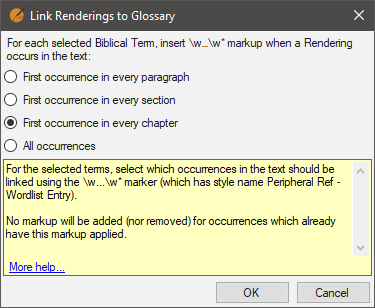
अगला, Biblical terms टूल को उन शब्दों पर फ़िल्टर करें जिनके लिए आप लिंक बनाना चाहते हैं और Biblical terms menu > Edit > Link selected renderings to glossary का चयन करें, और इन विकल्पों में से अपना पसंदीदा विकल्प चुनें:
यदि आप किसी पुस्तक या अध्याय की ग्लॉसरी प्रविष्टियों की जांच करना चाहते हैं, तो Edit > Find में उपयोग करने के लिए यहाँ एक सहायक regex है:
regex:\w .+?\w*
परिणाम कुछ इस प्रकार दिखेंगे:
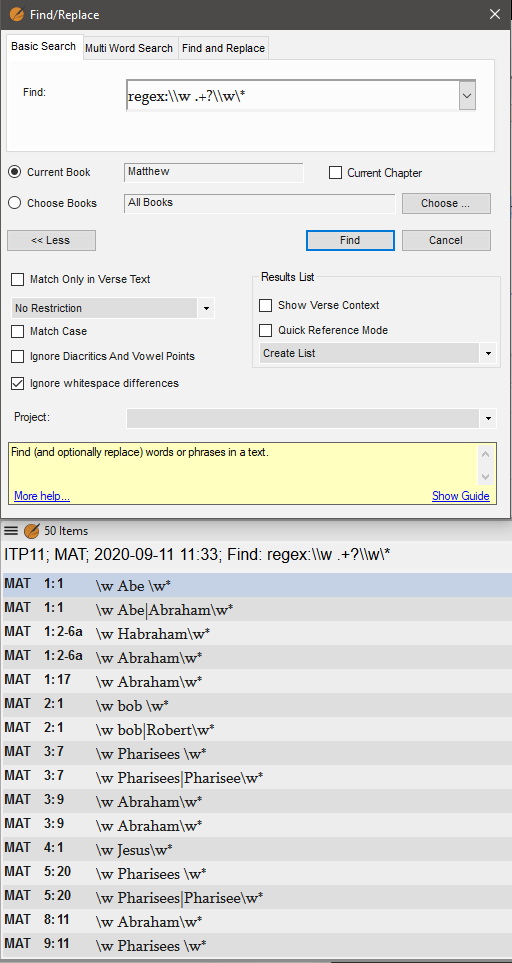
image512×963 29 KB
अन्य लोगों के पास ग्लॉसरी के लिए और प्रो टिप्स हो सकते हैं। मेरे पास इनका बहुत अनुभव नहीं है।
Currently, what you’re looking for isn’t possible using the glossary tools. The option which creates the fewest links in the text is “first occurrence in every chapter”. I believe the rationale for that is that most readers don’t read whole books at a time, more likely a few chapters at a time.
To remove unwanted \w…\w* links from the text, “unlink” all renderings by filtering the Biblical Terms tool to show the terms you wish to unlink. Then, go to Biblical terms menu > Edit > Unlink selected renderings from glossary. (Or “unlink all renderings” if you want to remove all glossary entries from your project text.)
Next, filter the Biblical terms tool to the terms you want to create links for and choose Biblical terms menu > Edit > Link selected renderings to glossary, choose the option you prefer from these choices:
If you want check a book or chapter for glossary entries, here is a helpful regex to use in Edit > Find:
regex:\w .+?\w*
Results will look something like this:
image512×963 29 KB
Others may have more pro tips for Glossaries. I don’t have much experience of them.
English से मशीन-अनुवादित








