此功能需要更新才能在 Android 上再次運作。必須使用 9.5.18.66 或更新版本
Paratext Lite 的 [Get Resources -> Local] 功能允許從同一區域網路中的裝置安裝資源。它旨在於網路連線不可靠或昂貴時使用。
* 資源必須已安裝在桌面版 Paratext Lite 中。*
* 兩臺裝置必須位於同一區域網路*
步驟 1.
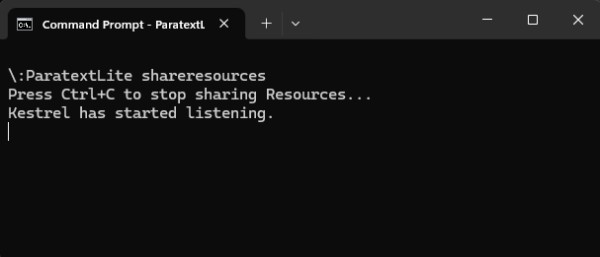
在桌面電腦上,從命令列執行 paratextlite:
paratextLite shareresources
步驟 2.
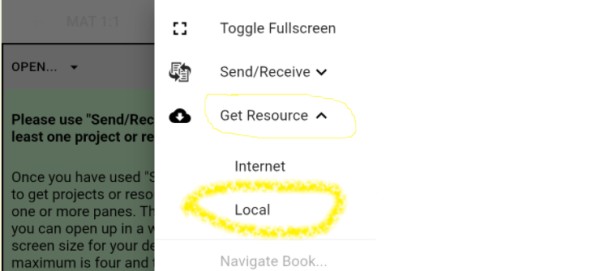
在另一臺希望安裝資源的 Paratext Lite 裝置上,使用 [Get Resources -> Local] 功能,這將允許從步驟一中使用的桌面機器安裝資源。
疑難排解
檢查 Android 版本是否為 9.5.18.66 或更新版本。
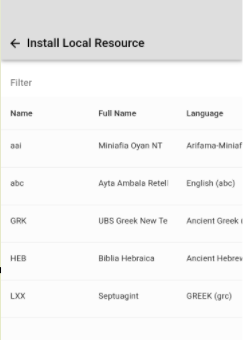
如果「Install Local Resource」未顯示任何專案,請檢查桌面電腦上運行的防火牆是否阻擋了 UDP 封包或 TCP 埠(預設使用埠 5555)。
當裝置連接時,命令列「paratextLite shareresources」會顯示傳入的連接。如果沒有顯示任何內容,則可能是防火牆或網路的問題。
The feature required an update so that it worked on Android again. Must use 9.5.18.66 or newer
The Paratext Lite [Get Resources -> Local] feature allows installing resources from a device on the same local network. It's is intended to be used when internet access is unreliable or expensive.
* Resources must already be installed in the desktop version of Paratext Lite.*
* Both devices must be on the same local network*
Step 1.
On the desktop computer, run paratextlite from the command line:
paratextLite shareresources
Step 2.
On other Paratext Lite device, where you want to install resources, use the [Get Resources -> Local] feature, which will allow installing resources from the desktop machine used in step one.
Trouble shooting
Check that the Android version is 9.5.18.66 or newer.
If "Install Local Resource" doesn't display any projects, check that a firewall running on the desktop computer isn't blocking UDP packets or the TCP port (by default port 5555 is used)
The command line "paratextLite shareresources" will display incoming connections when a device connects. If nothing displays then firewall/network are likely the cause.
機器翻譯自 English








