O recurso exigiu uma atualização para funcionar novamente no Android. Deve-se usar a versão 9.5.18.66 ou mais recente
O recurso [Get Resources -> Local] do Paratext Lite permite instalar recursos de um dispositivo na mesma rede local. Ele é destinado a ser usado quando o acesso à internet é instável ou caro.
* Os recursos devem já estar instalados na versão de desktop do Paratext Lite.*
* Ambos os dispositivos devem estar na mesma rede local*
Etapa 1.
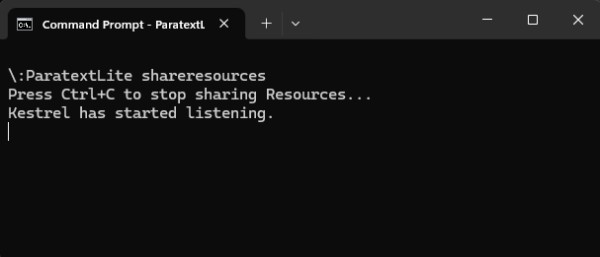
No computador de desktop, execute paratextlite pela linha de comando:
paratextLite shareresources
Etapa 2.
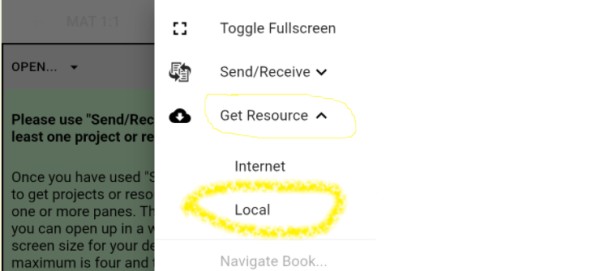
No outro dispositivo Paratext Lite, onde você deseja instalar os recursos, use o recurso [Get Resources -> Local] , que permitirá instalar recursos da máquina de desktop usada na etapa um.
Solução de problemas
Verifique se a versão do Android é 9.5.18.66 ou mais recente.
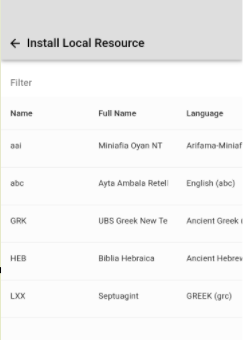
Se "Install Local Resource" não exibir nenhum projeto, verifique se um firewall em execução no computador de desktop não está bloqueando pacotes UDP ou a porta TCP (por padrão, a porta 5555 é usada)
A linha de comando "paratextLite shareresources" exibirá conexões recebidas quando um dispositivo se conectar. Se nada for exibido, é provável que o firewall/rede seja a causa.
The feature required an update so that it worked on Android again. Must use 9.5.18.66 or newer
The Paratext Lite [Get Resources -> Local] feature allows installing resources from a device on the same local network. It's is intended to be used when internet access is unreliable or expensive.
* Resources must already be installed in the desktop version of Paratext Lite.*
* Both devices must be on the same local network*
Step 1.
On the desktop computer, run paratextlite from the command line:
paratextLite shareresources
Step 2.
On other Paratext Lite device, where you want to install resources, use the [Get Resources -> Local] feature, which will allow installing resources from the desktop machine used in step one.
Trouble shooting
Check that the Android version is 9.5.18.66 or newer.
If "Install Local Resource" doesn't display any projects, check that a firewall running on the desktop computer isn't blocking UDP packets or the TCP port (by default port 5555 is used)
The command line "paratextLite shareresources" will display incoming connections when a device connects. If nothing displays then firewall/network are likely the cause.
Tradução automática de English








