The feature required an update so that it worked on Android again. Must use 9.5.18.66 or newer
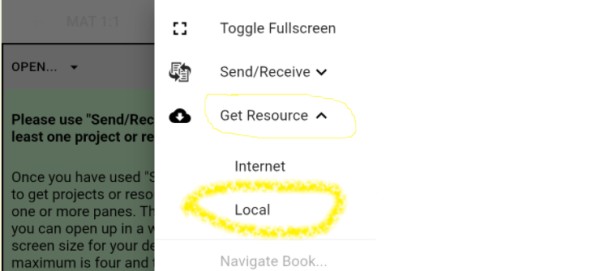
The Paratext Lite [Get Resources -> Local] feature allows installing resources from a device on the same local network. It's is intended to be used when internet access is unreliable or expensive.
* Resources must already be installed in the desktop version of Paratext Lite.*
* Both devices must be on the same local network*
Step 1.
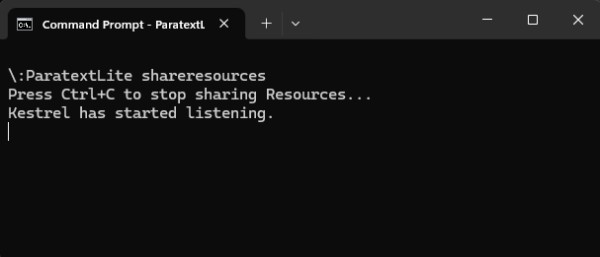
On the desktop computer, run paratextlite from the command line:
paratextLite shareresources
Step 2.
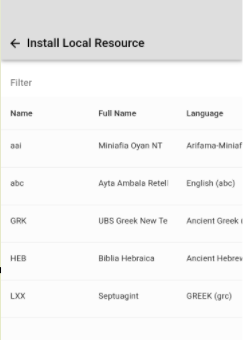
On other Paratext Lite device, where you want to install resources, use the [Get Resources -> Local] feature, which will allow installing resources from the desktop machine used in step one.
Trouble shooting
Check that the Android version is 9.5.18.66 or newer.
If "Install Local Resource" doesn't display any projects, check that a firewall running on the desktop computer isn't blocking UDP packets or the TCP port (by default port 5555 is used)
The command line "paratextLite shareresources" will display incoming connections when a device connects. If nothing displays then firewall/network are likely the cause.








