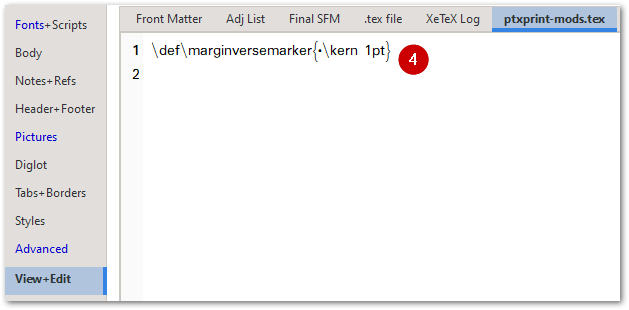
我們剛將此功能新增(自 版本 2.3.23 起)。若要啟用此標記,您需要在 ptxprint-mods.tex 檔案中加入以下這行:
\def\marginversemarker{*}
其中的 * 代表您想要使用的任何標記符號。請注意,如有需要,您也可以在標記後加入字距調整空間(kerning space)。例如,如果您想使用短線「-」作為標記來顯示節的開始位置,並希望在下一節第一個字之前留有 1pt 的間距,請使用以下指令:
\def\marginversemarker{-\kern 1pt}
目前此功能會在所有位置生效(包括段落或行首),這可能並非最理想的情況,但這是我們目前的進度。
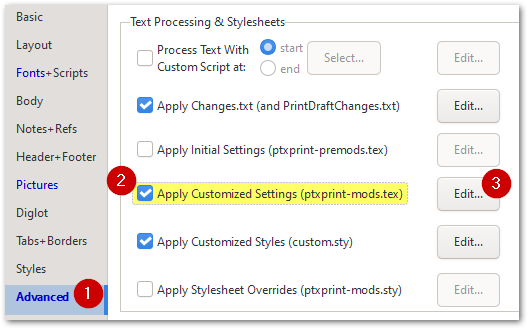
請注意,若要更改大小、顏色或樣式(包括上移或下移標記),您可以按照此處所示更改 \zmvm 標記:
最終效果如下所示:
We have just added this as a feature (as of version 2.3.23) . To enable the marker to appear, you will need to add this line to your ptxprint-mods.tex file:
\def\marginversemarker{*}
where * is whatever marker you want to use. Note that you can also add a kerning space after the marker if required. So, for example, if you want a dash ‘-’ to be the marker to show where the verse starts and then have a 1pt space before the 1st word of the next verse, then use this:
\def\marginversemarker{-\kern 1pt}
Currently this does it everywhere (even at the start of a paragraph/line) which may not be ideal, but it is as far as we’ve got so far.
Note that to change the size, color or styling (including raising or lowering the mark), you can change the \zmvm marker as shown here:
This ends up looking like this:
機器翻譯自 English








