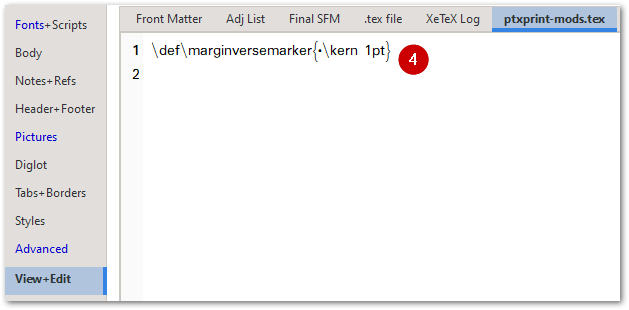
Acabamos de adicionar isso como um recurso (a partir da versão 2.3.23). Para que o marcador apareça, você precisará adicionar esta linha ao seu arquivo ptxprint-mods.tex:
\def\marginversemarker{*}
onde * é o marcador que você deseja usar. Observe que você também pode adicionar um espaço de kerning após o marcador, se necessário. Portanto, por exemplo, se você quiser que um traço ‘-’ seja o marcador para mostrar onde o versículo começa e, em seguida, tenha um espaço de 1pt antes da 1ª palavra do próximo versículo, use o seguinte:
\def\marginversemarker{-\kern 1pt}
Atualmente, isso é feito em todos os lugares (mesmo no início de um parágrafo/linha), o que pode não ser ideal, mas é o que temos até agora.
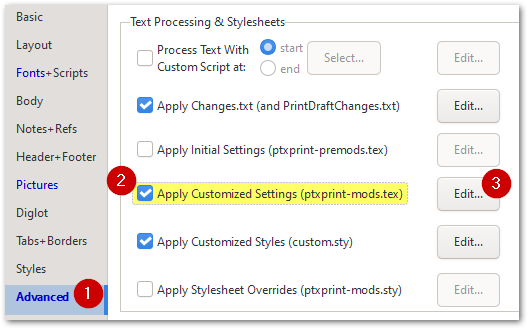
Observe que, para alterar o tamanho, a cor ou a estilização (incluindo elevar ou rebaixar o marcador), você pode alterar o marcador \zmvm conforme mostrado aqui:
O resultado final fica assim:
We have just added this as a feature (as of version 2.3.23) . To enable the marker to appear, you will need to add this line to your ptxprint-mods.tex file:
\def\marginversemarker{*}
where * is whatever marker you want to use. Note that you can also add a kerning space after the marker if required. So, for example, if you want a dash ‘-’ to be the marker to show where the verse starts and then have a 1pt space before the 1st word of the next verse, then use this:
\def\marginversemarker{-\kern 1pt}
Currently this does it everywhere (even at the start of a paragraph/line) which may not be ideal, but it is as far as we’ve got so far.
Note that to change the size, color or styling (including raising or lowering the mark), you can change the \zmvm marker as shown here:
This ends up looking like this:








