Nous venons d'ajouter cette fonctionnalité (à partir de la version 2.3.23). Pour activer l'affichage du marqueur, vous devez ajouter cette ligne à votre fichier ptxprint-mods.tex :
\def\marginversemarker{*}
où * est le marqueur de votre choix. Notez que vous pouvez également ajouter un espace de cernage après le marqueur si nécessaire. Par exemple, si vous souhaitez utiliser un tiret « - » comme marqueur pour indiquer le début du verset, suivi d'un espace de 1pt avant le premier mot du verset suivant, utilisez ceci :
\def\marginversemarker{-\kern 1pt}
Actuellement, cela s'applique partout (même au début d'un paragraphe/ligne), ce qui peut ne pas être idéal, mais c'est l'état actuel de nos développements.
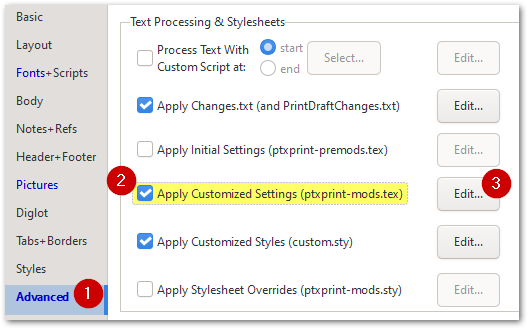
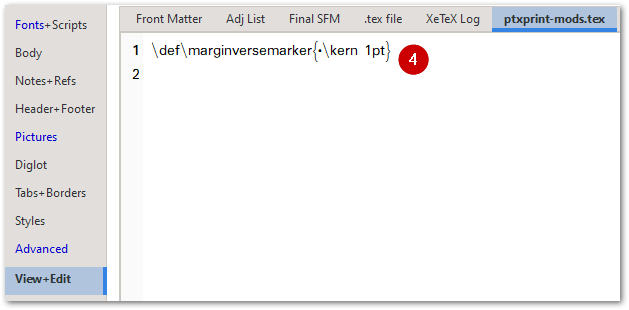
Notez que pour modifier la taille, la couleur ou le style (y compris l'élévation ou l'abaissement du marqueur), vous pouvez modifier le marqueur \zmvm comme indiqué ici :
Le résultat final ressemble à ceci :
We have just added this as a feature (as of version 2.3.23) . To enable the marker to appear, you will need to add this line to your ptxprint-mods.tex file:
\def\marginversemarker{*}
where * is whatever marker you want to use. Note that you can also add a kerning space after the marker if required. So, for example, if you want a dash ‘-’ to be the marker to show where the verse starts and then have a 1pt space before the 1st word of the next verse, then use this:
\def\marginversemarker{-\kern 1pt}
Currently this does it everywhere (even at the start of a paragraph/line) which may not be ideal, but it is as far as we’ve got so far.
Note that to change the size, color or styling (including raising or lowering the mark), you can change the \zmvm marker as shown here:
This ends up looking like this:
Traduit automatiquement depuis English








