你好 @anon952029 - 是的,PTXprint 社区网站会对未来关于 PTXprint 的请求进行更密切的监控。
有几个地方需要检查,以确保您的设置正确。(1) 字体+脚本(Fonts+Scripts)选项卡。请确保您使用的是“完整视图”(Full View)(否则这些高级设置甚至不会显示给您)。
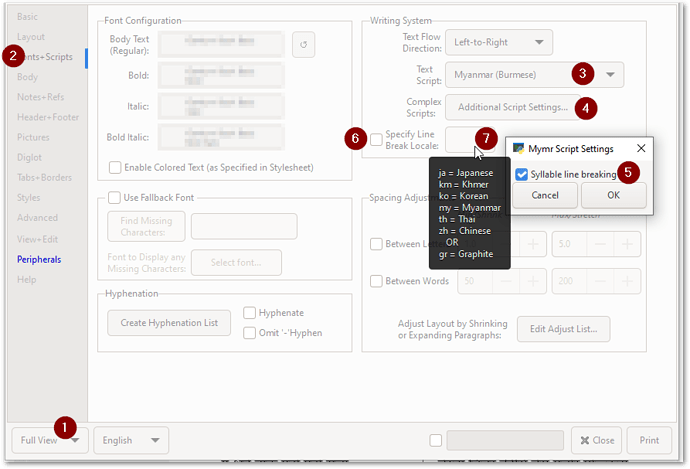
image893×608 45.7 KB
如果您正在使用“附加脚本设置”(Additional Script Setting)并开启了“音节换行”(Syllable line breaking),我认为您不需要设置“换行区域设置”(Line break Locale)。但您可以尝试两种方式,看看有什么区别。
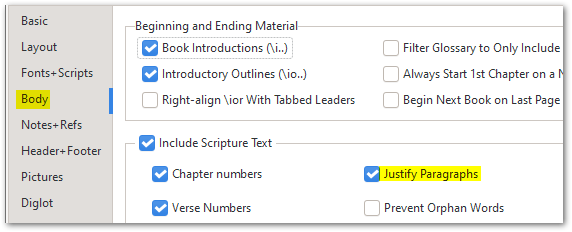
然后在 (2) 正文(Body)选项卡上,确保已启用“段落两端对齐”(Justify Paragraphs):
之后,所有常规的样式设置都适用(正如 @mnjames 上面已经指出的那样)。
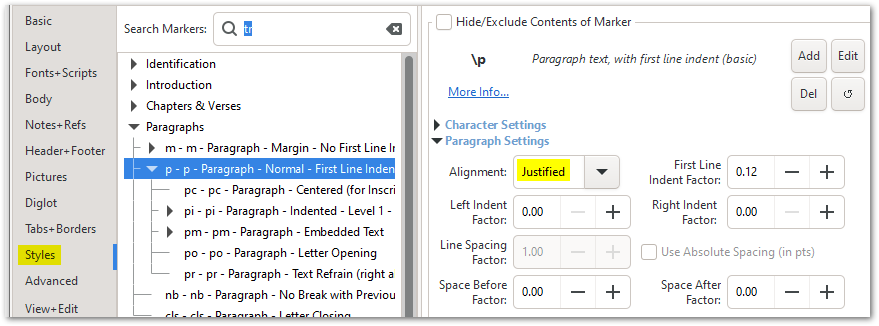
image879×326 27.1 KB
如果您仍然无法使其按需要工作,请按照 帮助(Help)选项卡中的说明发送一个小归档文件:
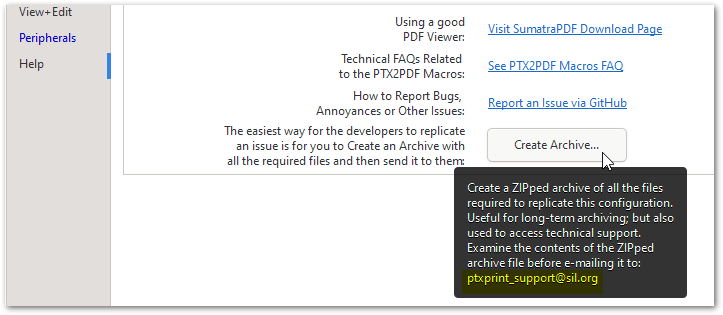
image723×315 19.5 KB
Hi @anon952029 - Yes, the PTXprint community site is monitored a bit more closely for any future requests about PTXprint.
There are a couple of places I would check to see that you’ve got the right settings. (1) The Fonts+Scripts tab. Make sure you are using Full View (otherwise some of these advanced settings won’t even appear for you).
image893×608 45.7 KB
I don’t think you need to set the Line break Locale if you are using the Additional Script Setting and have “Syllable line breaking” turned on. But try it both ways to see what difference it makes.
And then on (2) Body tab, make sure that Justify Paragraphs is enabled:
After that, all the usual Style things apply (as @mnjames has already pointed out above).
image879×326 27.1 KB
If you are still struggling to make it behave as you need it to, then please send a small archive file as explained on the Help tab:
image723×315 19.5 KB
机器翻译自 English








