Halo @anon952029 - Ya, situs komunitas PTXprint dipantau lebih ketat untuk permintaan masa depan tentang PTXprint.
Ada beberapa tempat yang perlu diperiksa untuk memastikan Anda memiliki pengaturan yang tepat. (1) Tab Fonts+Scripts. Pastikan Anda menggunakan Full View (jika tidak, beberapa pengaturan lanjutan ini bahkan tidak akan muncul untuk Anda).
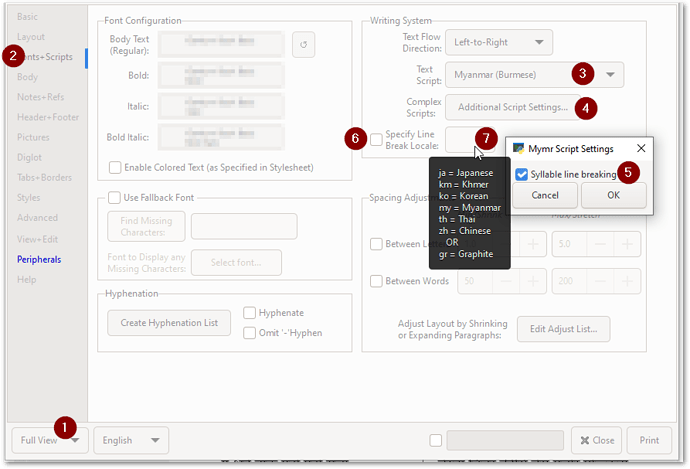
image893×608 45.7 KB
Saya tidak berpikir Anda perlu mengatur Line break Locale jika Anda menggunakan Additional Script Setting dan mengaktifkan “Syllable line breaking”. Tetapi cobalah kedua cara untuk melihat perbedaannya.
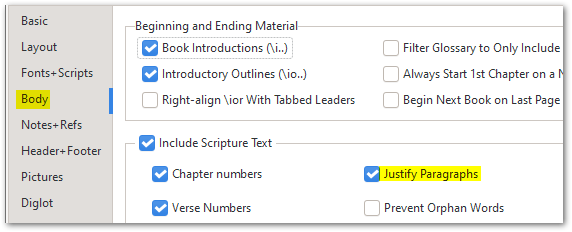
Lalu di (2) tab Body, pastikan Justify Paragraphs diaktifkan:
Setelah itu, semua hal Style yang biasa berlaku (seperti yang telah ditunjukkan @mnjames di atas).
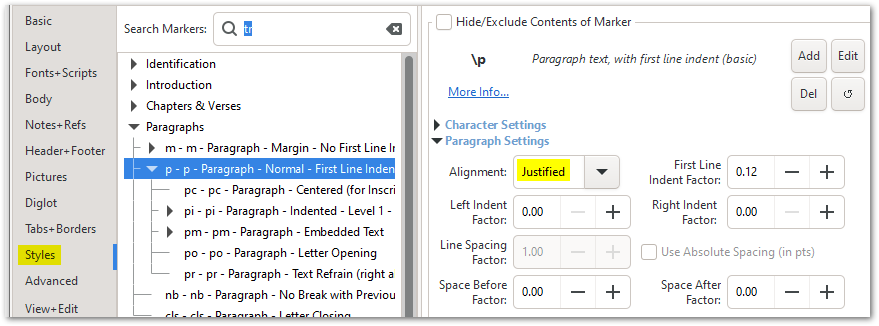
image879×326 27.1 KB
Jika Anda masih kesulitan membuatnya berperilaku seperti yang Anda butuhkan, silakan kirim file arsip kecil seperti yang dijelaskan di tab Help:
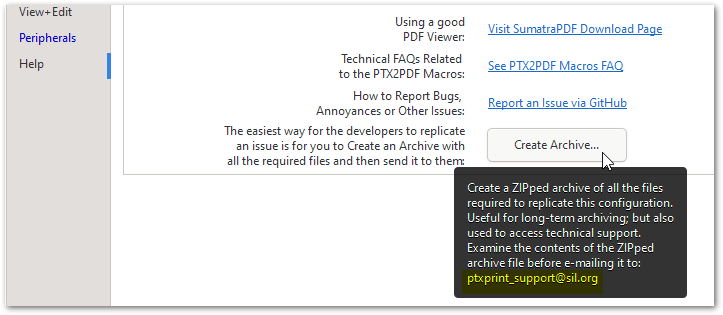
image723×315 19.5 KB
Hi @anon952029 - Yes, the PTXprint community site is monitored a bit more closely for any future requests about PTXprint.
There are a couple of places I would check to see that you’ve got the right settings. (1) The Fonts+Scripts tab. Make sure you are using Full View (otherwise some of these advanced settings won’t even appear for you).
image893×608 45.7 KB
I don’t think you need to set the Line break Locale if you are using the Additional Script Setting and have “Syllable line breaking” turned on. But try it both ways to see what difference it makes.
And then on (2) Body tab, make sure that Justify Paragraphs is enabled:
After that, all the usual Style things apply (as @mnjames has already pointed out above).
image879×326 27.1 KB
If you are still struggling to make it behave as you need it to, then please send a small archive file as explained on the Help tab:
image723×315 19.5 KB








