您可以開啟字詞清單(wordlist),並為想要統計的書卷選擇書卷篩選器。如果使用優先順序(priority),您應該可以篩選到特定的章節。利用範圍(range),您可以選擇特定的節。
然後,使用選單 > export to xml 將清單匯出為 xml 檔案。
在 Excel 中開啟該檔案,並允許 Excel 建立 xml 表格。這會將資料放入欄位中(其中一個欄位是 Count)。
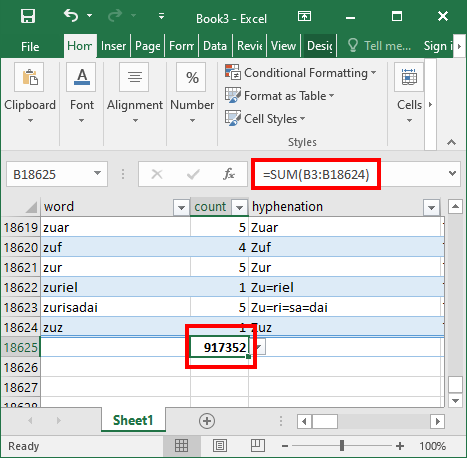
使用 =sum(xx:yy) 來計算所選文本中所有字詞的總和。
You can open the wordlist and select the book filter for the book or books that you want to count. If you use a priority you should be able to select down to a particular chapter or chapters. With the range you can select specific verses.
Then export the list to an xml file using the menu > export to xml
Open that file in Excel and allow Excel to create an xml table. This will put the data into columns (one of which is Count)
Use =sum(xx:yy) to generate a sum of all the words in the selected text.
機器翻譯自 English








