Вы можете открыть список слов и выбрать фильтр по книге для той или тех книг, которые вы хотите подсчитать. Если вы используете приоритет, вы сможете выбрать до конкретного раздела или разделов. С помощью диапазона вы можете выбрать конкретные стихи.
Затем экспортируйте список в файл xml, используя меню > export to xml
Откройте этот файл в Excel и позвольте Excel создать таблицу xml. Это разобьет данные по столбцам (один из которых — Count)
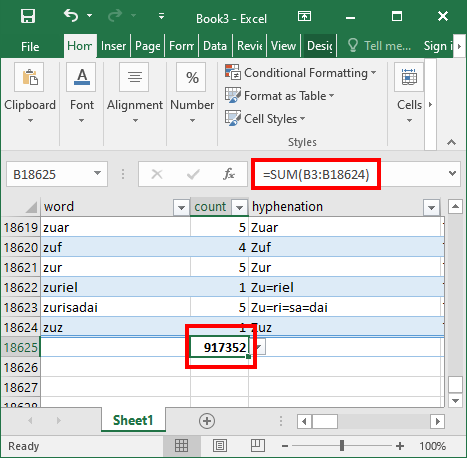
Используйте =sum(xx:yy) для вычисления суммы всех слов в выбранном тексте.
You can open the wordlist and select the book filter for the book or books that you want to count. If you use a priority you should be able to select down to a particular chapter or chapters. With the range you can select specific verses.
Then export the list to an xml file using the menu > export to xml
Open that file in Excel and allow Excel to create an xml table. This will put the data into columns (one of which is Count)
Use =sum(xx:yy) to generate a sum of all the words in the selected text.
Переведено машиной с языка English








