很好的建议,@mjames!不过,我认为需要一种更优雅的解决方案,并且我刚刚在下一个版本中实现了该方案。
请注意,现在不再有 创建“Diff” PDF 按钮,因此无需使用 Ctrl+D 来打印 Diff;只需像往常一样使用 Ctrl+P,如果该选项已启用,您将获得 Diff 处理结果。[但 Ctrl+D 快捷键将为您切换该设置。]
这也有助于简化基本视图(Basic View):
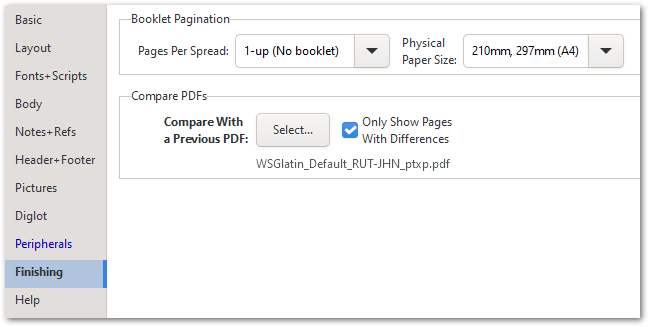
总的来说,我相信这比旧的方法更直观。
Nice suggestion, @mjames! However, I decided that a more elegant solution was called for, and have just implemented that for release in the next version.
Notice that there is no Create “Diff” PDF button any more, so there is no need to use Ctrl+D to print a Diff; just use Ctrl+P as usual, and if the option is enabled, you’ll get the Diff processing. [But the Ctrl+D shortcut will just toggle that setting for you.]
This also helps to simplify the Basic View slightly:
Overall, I trust that this is more intuitive than the old way of doing things.
机器翻译自 English








