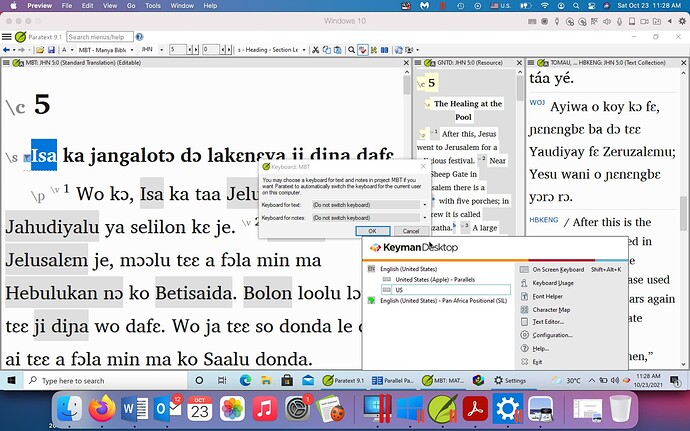
Bonjour, j'utilise Paratext 9 sous Windows 10 (exécuté via Parallels Desktop 16). J'utilise un clavier Keyman (Pan African Positional (SIL)) pour saisir le texte dans la fenêtre du projet. Mais chaque fois que je clique en dehors de la fenêtre du projet, il repasse au clavier anglais par défaut. Lorsque je vais dans « Clavier » dans les paramètres du projet, le clavier Keyman n'est pas répertorié comme option. Je ne peux pas non plus le trouver dans les paramètres de langue de Windows. Tout aide serait appréciée !
Capture d'écran1920×1200 219 KB
Hello, I’m using Paratext 9 in Windows 10 (run by Parallels Desktop 16). I’m using a Keyman keyboard (Pan African Positional (SIL) to input the text in the project window. But any time I click away from the project window, it goes back to the default English keyboard. When I go to “Keyboard” in Project Settings, the Keyman keyboard is not listed as an option. I also can not find it in the Windows language settings. Any help would be appreciated!
Screenshot1920×1200 219 KB
Traduit automatiquement depuis English








