I am sorry about that.
P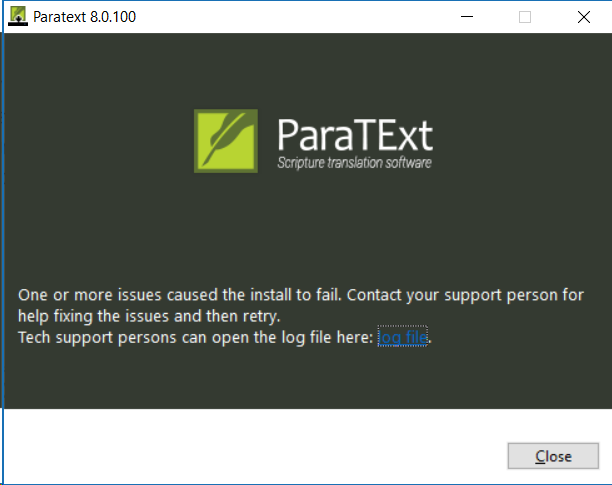
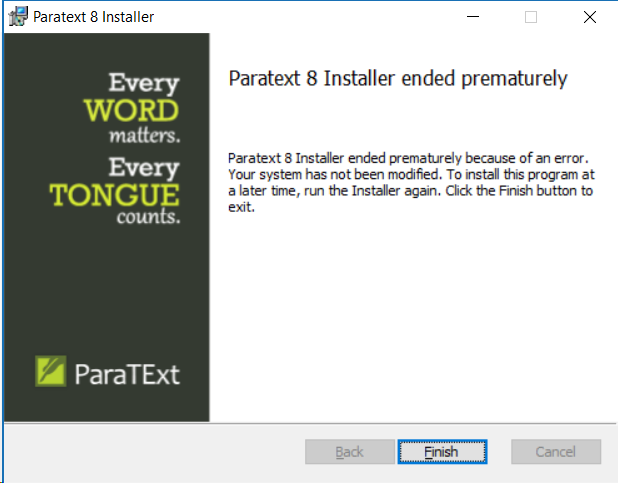
The Log info:
[31FC:1AC8][2019-03-27T12:20:51]i001: Burn v3.10.3.3007, Windows v10.0 (Build 17134: Service Pack 0), path: C:\Users\Joe\AppData\Local\Temp{16737374-063D-4DE4-B01A-8343FA5B3AE9}.cr\Paratext_8.0.100.1_InstallerOnline.exe
[31FC:1AC8][2019-03-27T12:20:51]i009: Command Line: ‘-burn.clean.room=C:\Users\Joe\Downloads\Paratext_8.0.100.1_InstallerOnline.exe -burn.filehandle.attached=192 -burn.filehandle.self=548’
[31FC:1AC8][2019-03-27T12:20:51]i000: Setting string variable ‘WixBundleOriginalSource’ to value ‘C:\Users\Joe\Downloads\Paratext_8.0.100.1_InstallerOnline.exe’
[31FC:1AC8][2019-03-27T12:20:51]i000: Setting string variable ‘WixBundleOriginalSourceFolder’ to value ‘C:\Users\Joe\Downloads’
[31FC:1AC8][2019-03-27T12:20:51]i000: Setting string variable ‘WixBundleLog’ to value ‘C:\Users\Joe\AppData\Local\Temp\Paratext_8.0.100_20190327122051.log’
[31FC:1AC8][2019-03-27T12:20:51]i000: Setting string variable ‘WixBundleName’ to value ‘Paratext 8.0.100’
[31FC:1AC8][2019-03-27T12:20:51]i000: Setting string variable ‘WixBundleManufacturer’ to value ‘United Bible Societies’
[31FC:145C][2019-03-27T12:20:51]i000: Setting numeric variable ‘WixStdBALanguageId’ to value 1033
[31FC:145C][2019-03-27T12:20:51]i000: Setting version variable ‘WixBundleFileVersion’ to value ‘8.0.100.1’
[31FC:1AC8][2019-03-27T12:20:51]i100: Detect begin, 5 packages
[31FC:1AC8][2019-03-27T12:20:51]i000: Setting string variable ‘CPP2012Redist’ to value ‘1’
[31FC:1AC8][2019-03-27T12:20:51]i000: Setting string variable ‘CPP2011Redist’ to value ‘1’
[31FC:1AC8][2019-03-27T12:20:51]i000: Setting string variable ‘CPP2010Redist’ to value ‘1’
[31FC:1AC8][2019-03-27T12:20:51]i000: Setting string variable ‘Netfx45FullVersion’ to value ‘4.7.03056’
[31FC:1AC8][2019-03-27T12:20:51]i000: Setting string variable ‘Netfx45x64FullVersion’ to value ‘4.7.03056’
[31FC:1AC8][2019-03-27T12:20:51]i052: Condition ‘(Netfx45FullVersion=“4.5.50938”) AND (NOT VersionNT64 OR (Netfx45x64FullVersion=“4.5.50938”))’ evaluates to false.
[31FC:1AC8][2019-03-27T12:20:51]i052: Condition ‘CPP2010Redist’ evaluates to true.
[31FC:1AC8][2019-03-27T12:20:51]i052: Condition ‘CPP2011Redist’ evaluates to true.
[31FC:1AC8][2019-03-27T12:20:51]i052: Condition ‘CPP2012Redist’ evaluates to true.
[31FC:1AC8][2019-03-27T12:20:51]i101: Detected package: NetFx451Web, state: Absent, cached: None
[31FC:1AC8][2019-03-27T12:20:51]i101: Detected package: vc10, state: Present, cached: None
[31FC:1AC8][2019-03-27T12:20:51]i101: Detected package: vc11, state: Present, cached: Complete
[31FC:1AC8][2019-03-27T12:20:51]i101: Detected package: vc12, state: Present, cached: None
[31FC:1AC8][2019-03-27T12:20:51]i101: Detected package: PtMsiPack, state: Absent, cached: None
[31FC:1AC8][2019-03-27T12:20:51]i052: Condition ‘(VersionNT >= v6.0)’ evaluates to true.
[31FC:1AC8][2019-03-27T12:20:51]i199: Detect complete, result: 0x0
[31FC:145C][2019-03-27T12:21:30]i000: Setting numeric variable ‘EulaAcceptCheckbox’ to value 1
[31FC:1AC8][2019-03-27T12:21:30]i200: Plan begin, 5 packages, action: Install
[31FC:1AC8][2019-03-27T12:21:30]i052: Condition ‘(VersionNT >= v6.0 OR VersionNT64 >= v6.0) AND (NOT (Netfx45FullVersion >= “4.5.50938” OR Netfx45x64FullVersion >= “4.5.50938”))’ evaluates to false.
[31FC:1AC8][2019-03-27T12:21:30]w321: Skipping dependency registration on package with no dependency providers: NetFx451Web
[31FC:1AC8][2019-03-27T12:21:30]w321: Skipping dependency registration on package with no dependency providers: vc10
[31FC:1AC8][2019-03-27T12:21:30]w321: Skipping dependency registration on package with no dependency providers: vc11
[31FC:1AC8][2019-03-27T12:21:30]w321: Skipping dependency registration on package with no dependency providers: vc12
[31FC:1AC8][2019-03-27T12:21:30]i052: Condition ‘1’ evaluates to true.
[31FC:1AC8][2019-03-27T12:21:30]i000: Setting string variable ‘WixBundleRollbackLog_PtMsiPack’ to value ‘C:\Users\Joe\AppData\Local\Temp\Paratext_8.0.100_20190327122051_000_PtMsiPack_rollback.log’
[31FC:1AC8][2019-03-27T12:21:30]i000: Setting string variable ‘WixBundleLog_PtMsiPack’ to value ‘C:\Users\Joe\AppData\Local\Temp\Paratext_8.0.100_20190327122051_000_PtMsiPack.log’
[31FC:1AC8][2019-03-27T12:21:30]i201: Planned package: NetFx451Web, state: Absent, default requested: Absent, ba requested: Absent, execute: None, rollback: None, cache: No, uncache: No, dependency: None
[31FC:1AC8][2019-03-27T12:21:30]i201: Planned package: vc10, state: Present, default requested: Present, ba requested: Present, execute: None, rollback: None, cache: No, uncache: No, dependency: None
[31FC:1AC8][2019-03-27T12:21:30]i201: Planned package: vc11, state: Present, default requested: Present, ba requested: Present, execute: None, rollback: None, cache: No, uncache: Yes, dependency: None
[31FC:1AC8][2019-03-27T12:21:30]i201: Planned package: vc12, state: Present, default requested: Present, ba requested: Present, execute: None, rollback: None, cache: No, uncache: No, dependency: None
[31FC:1AC8][2019-03-27T12:21:30]i201: Planned package: PtMsiPack, state: Absent, default requested: Present, ba requested: Present, execute: Install, rollback: Uninstall, cache: Yes, uncache: No, dependency: Register
[31FC:1AC8][2019-03-27T12:21:30]i299: Plan complete, result: 0x0
[31FC:1AC8][2019-03-27T12:21:30]i300: Apply begin
[31FC:1AC8][2019-03-27T12:21:30]i010: Launching elevated engine process.
[31FC:1AC8][2019-03-27T12:21:33]i011: Launched elevated engine process.
[31FC:1AC8][2019-03-27T12:21:33]i012: Connected to elevated engine.
[12D4:2EE0][2019-03-27T12:21:33]i358: Pausing automatic updates.
[12D4:2EE0][2019-03-27T12:21:33]i359: Paused automatic updates.
[12D4:2EE0][2019-03-27T12:21:33]i360: Creating a system restore point.
[12D4:2EE0][2019-03-27T12:21:55]i361: Created a system restore point.
[12D4:2EE0][2019-03-27T12:21:55]i370: Session begin, registration key: SOFTWARE\Microsoft\Windows\CurrentVersion\Uninstall{37df8e26-9ebf-4aef-b314-d6be7891b96d}, options: 0x7, disable resume: No
[12D4:2EE0][2019-03-27T12:21:55]i000: Caching bundle from: ‘C:\Users\Joe\AppData\Local\Temp{BCF3AE74-8921-4CE6-9073-C141A2CC7F7B}.be\Paratext_8.0.100.1_InstallerOnline.exe’ to: ‘C:\ProgramData\Package Cache{37df8e26-9ebf-4aef-b314-d6be7891b96d}\Paratext_8.0.100.1_InstallerOnline.exe’
[12D4:2EE0][2019-03-27T12:21:55]i320: Registering bundle dependency provider: {37df8e26-9ebf-4aef-b314-d6be7891b96d}, version: 8.0.100.1
[12D4:2EE0][2019-03-27T12:21:55]i371: Updating session, registration key: SOFTWARE\Microsoft\Windows\CurrentVersion\Uninstall{37df8e26-9ebf-4aef-b314-d6be7891b96d}, resume: Active, restart initiated: No, disable resume: No
[12D4:2F5C][2019-03-27T12:21:58]i305: Verified acquired payload: PtMsiPack at path: C:\ProgramData\Package Cache.unverified\PtMsiPack, moving to: C:\ProgramData\Package Cache{9F50DAE6-54B3-4F02-8E34-8D07DB957C84}v8.0.100.1\Paratext_8.0.100.1_Installer.msi.
[12D4:2EE0][2019-03-27T12:21:58]i323: Registering package dependency provider: {9F50DAE6-54B3-4F02-8E34-8D07DB957C84}, version: 8.0.100.1, package: PtMsiPack
[12D4:2EE0][2019-03-27T12:21:58]i301: Applying execute package: PtMsiPack, action: Install, path: C:\ProgramData\Package Cache{9F50DAE6-54B3-4F02-8E34-8D07DB957C84}v8.0.100.1\Paratext_8.0.100.1_Installer.msi, arguments: ’ ALLUSERS=“1” MSIFASTINSTALL=“7”’
[12D4:2EE0][2019-03-27T12:24:46]e000: Error 0x80070643: Failed to install MSI package.
[12D4:2EE0][2019-03-27T12:24:46]e000: Error 0x80070643: Failed to execute MSI package.
[31FC:1AC8][2019-03-27T12:24:46]e000: Error 0x80070643: Failed to configure per-machine MSI package.
[31FC:1AC8][2019-03-27T12:24:46]i319: Applied execute package: PtMsiPack, result: 0x80070643, restart: None
[31FC:1AC8][2019-03-27T12:24:46]e000: Error 0x80070643: Failed to execute MSI package.
[12D4:2EE0][2019-03-27T12:24:46]i318: Skipped rollback of package: PtMsiPack, action: Uninstall, already: Absent
[31FC:1AC8][2019-03-27T12:24:46]i319: Applied rollback package: PtMsiPack, result: 0x0, restart: None
[12D4:2EE0][2019-03-27T12:24:46]i329: Removed package dependency provider: {9F50DAE6-54B3-4F02-8E34-8D07DB957C84}, package: PtMsiPack
[12D4:2EE0][2019-03-27T12:24:46]i351: Removing cached package: PtMsiPack, from path: C:\ProgramData\Package Cache{9F50DAE6-54B3-4F02-8E34-8D07DB957C84}v8.0.100.1
[12D4:2EE0][2019-03-27T12:24:46]i372: Session end, registration key: SOFTWARE\Microsoft\Windows\CurrentVersion\Uninstall{37df8e26-9ebf-4aef-b314-d6be7891b96d}, resume: None, restart: None, disable resume: No
[12D4:2EE0][2019-03-27T12:24:46]i330: Removed bundle dependency provider: {37df8e26-9ebf-4aef-b314-d6be7891b96d}
[12D4:2EE0][2019-03-27T12:24:46]i352: Removing cached bundle: {37df8e26-9ebf-4aef-b314-d6be7891b96d}, from path: C:\ProgramData\Package Cache{37df8e26-9ebf-4aef-b314-d6be7891b96d}
[12D4:2EE0][2019-03-27T12:24:46]i371: Updating session, registration key: SOFTWARE\Microsoft\Windows\CurrentVersion\Uninstall{37df8e26-9ebf-4aef-b314-d6be7891b96d}, resume: None, restart initiated: No, disable resume: No
[31FC:1AC8][2019-03-27T12:24:46]i399: Apply complete, result: 0x80070643, restart: None, ba requested restart: No








