Don't believe everything the Support Agent tells you :-) Hallucination is its default action when it doesn't know the right answer! So please remove the ptxprint-PSA.sty file that you tried. That will not help at all.
I'm not sure what markers your Psalms are currently marked up with, but usually it is \q1 and \q2 for poetry. So if you wanted poetry within the Psalms to be centered, then Add the style(s) (i.e. a new marker or two) based on the existing \q1 and \q2, but limit them to only apply to PSA as shown below:
id:PSA|q1
id:PSA|q2
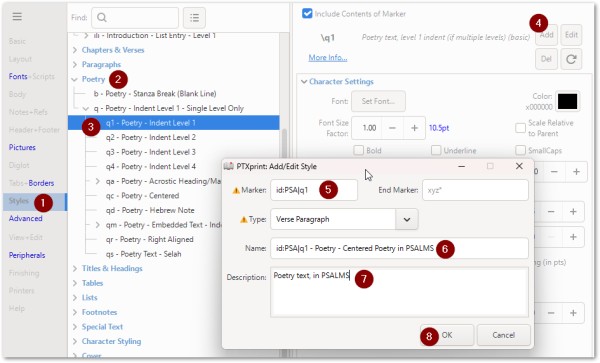
Then once the NEW style has been added (restricted to work with PSA) you can change it's parameters as shown here:
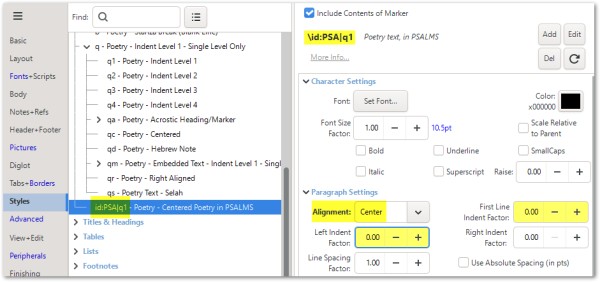
There is more help on naming of Styles on Pg14 of the technical reference manual (see Help tab).
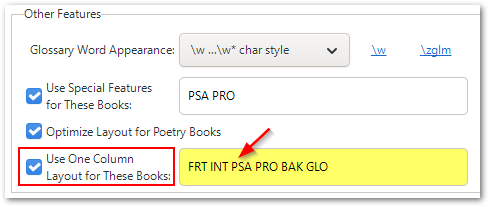
Note that to get ONE-column layout for PSA in a TWO-column publication, you will need to set this on the Body tab, near the bottom of the screen.