基於 DG 的評論:「一個選項是使用 changes.txt 檔案,但這會變得有點混亂,因為你需要將每個斜線加倍。」
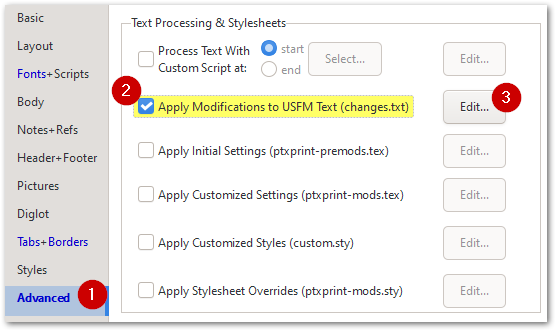
不過,有一種簡單的方法可以做到這一點:
然後在出現的 changes.txt 標籤頁中,使用程式碼片段(Code snippets)插入規則,該規則將為每一卷書添加標題頁:
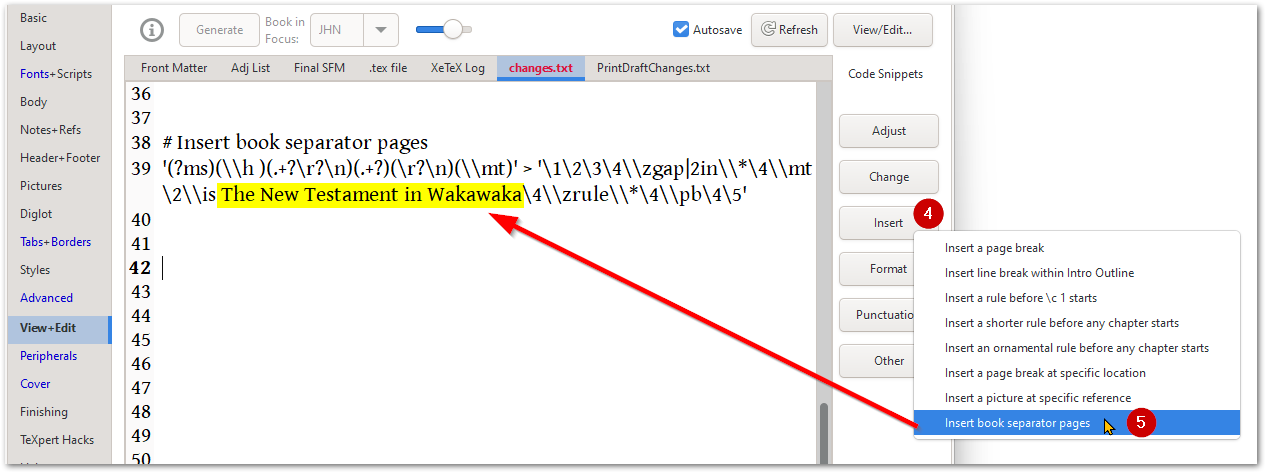 你可能希望將黃色部分更改為其他內容,或完全移除它。如果你不希望書名下方出現任何名稱,則使用 \is ~ 來表示那裡有一個空格。你可以根據需要更改代碼,但本質上你是在 USFM 檔案被處理時注入一些文字(這不會儲存在你的 Paratext 檔案中)。
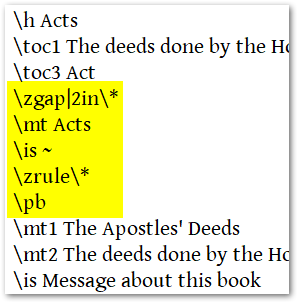
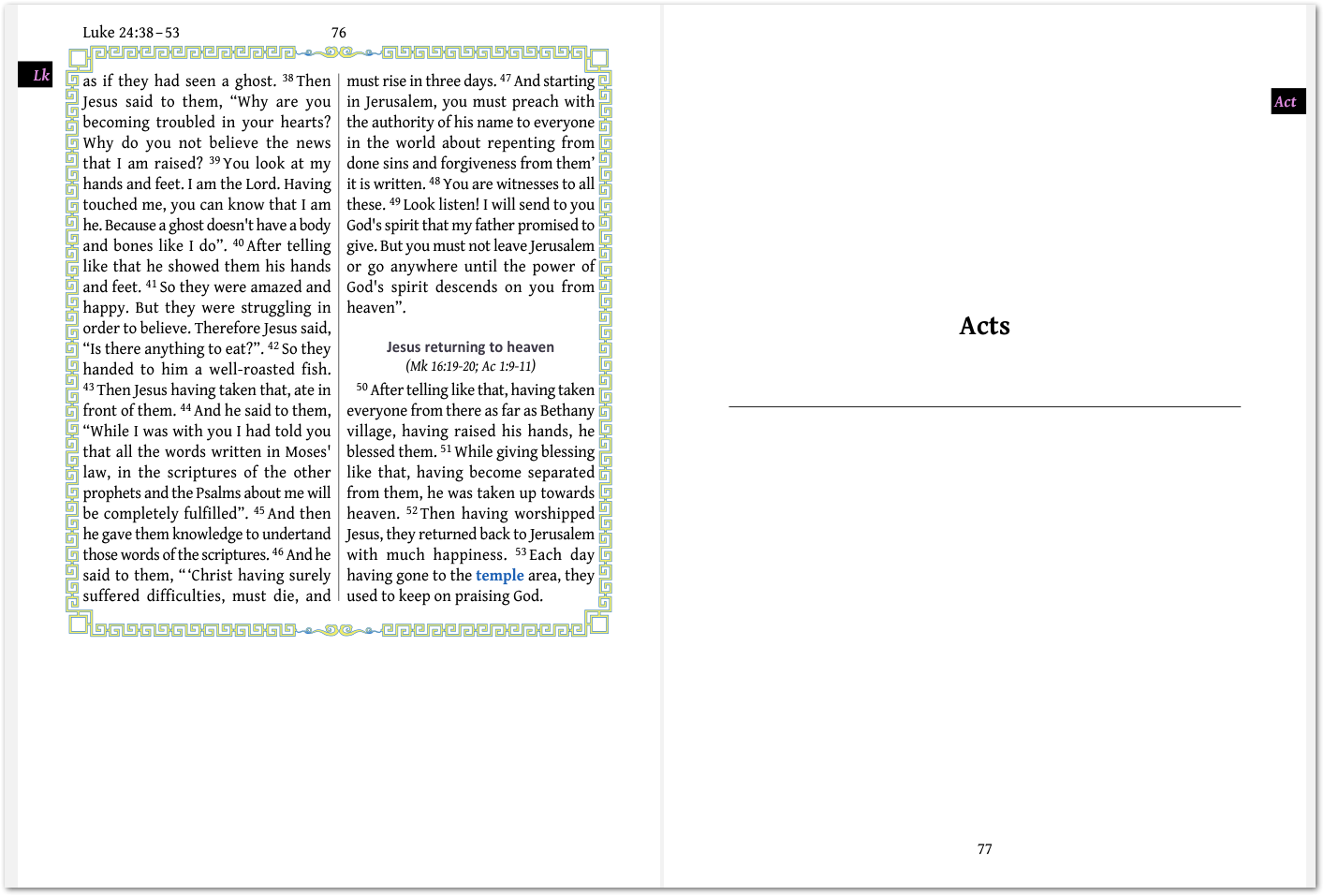
如果你只希望這在 ACT 之前發生,而不希望在 LUK 之前也發生,則將規則的開頭更改為:
at ACT '(?ms)(\\h )(.+?\r?\n)(.+?)(\r?\n)(\\mt)' > '\1\2\3\4\\zgap|2in\\*\4\\mt \2\\is ~\4\\zrule\\*\4\\pb\4\5'
Building on DG's comment: "One option is to use the changes.txt file, but that gets a bit messy, with you needing to double every slash."
There is an easy way to do this though:
Then on the changes.txt tab that appears, use the Code snippets to insert the rule which will add a title page to EVERY book:
You may want to change the piece in Yellow to say something else, or remove it completely. If you don't want any name to appear under the Book name, then use \is ~ to indicate a space there. You can change the codes as needed, but essentially you are injecting some text into the USFM file as it gets processed (this is NOT stored in your Paratext file).
If you only want this to happen before ACT and not also at LUK, then change the beginning of the rule to say:
at ACT '(?ms)(\\h )(.+?\r?\n)(.+?)(\r?\n)(\\mt)' > '\1\2\3\4\\zgap|2in\\*\4\\mt \2\\is ~\4\\zrule\\*\4\\pb\4\5'
機器翻譯自 English








