Saran yang bagus, @mjames! Namun, saya memutuskan bahwa solusi yang lebih elegan diperlukan, dan baru saja mengimplementasikannya untuk rilis di versi berikutnya.
Perhatikan bahwa tidak ada lagi tombol Create “Diff” PDF, jadi tidak perlu menggunakan Ctrl+D untuk mencetak Diff; cukup gunakan Ctrl+P seperti biasa, dan jika opsi tersebut diaktifkan, Anda akan mendapatkan pemrosesan Diff. [Tetapi pintasan Ctrl+D hanya akan mengubah pengaturan tersebut untuk Anda.].
Ini juga membantu menyederhanakan Basic View sedikit:
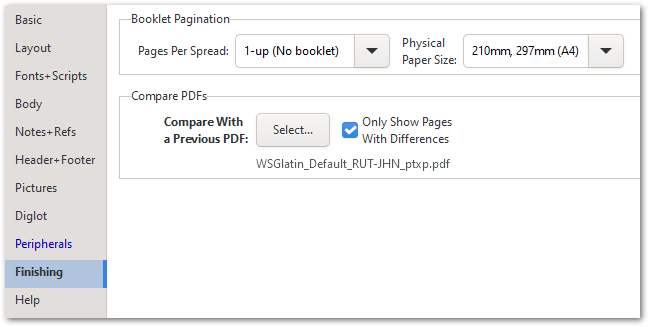
Secara keseluruhan, saya percaya bahwa ini lebih intuitif daripada cara lama.
Nice suggestion, @mjames! However, I decided that a more elegant solution was called for, and have just implemented that for release in the next version.
Notice that there is no Create “Diff” PDF button any more, so there is no need to use Ctrl+D to print a Diff; just use Ctrl+P as usual, and if the option is enabled, you’ll get the Diff processing. [But the Ctrl+D shortcut will just toggle that setting for you.]
This also helps to simplify the Basic View slightly:
Overall, I trust that this is more intuitive than the old way of doing things.
Diterjemahkan secara otomatis dari English








