¡Buena sugerencia, @mjames! Sin embargo, decidí que se requería una solución más elegante y acabo de implementarla para su lanzamiento en la próxima versión.
Observe que ya no hay un botón Crear PDF “Diff”, por lo que no es necesario usar Ctrl+D para imprimir un Diff; simplemente use Ctrl+P como de costumbre, y si la opción está habilitada, obtendrá el procesamiento de Diff. [Pero el atajo Ctrl+D simplemente alternará esa configuración por usted.]
Esto también ayuda a simplificar ligeramente la vista básica:
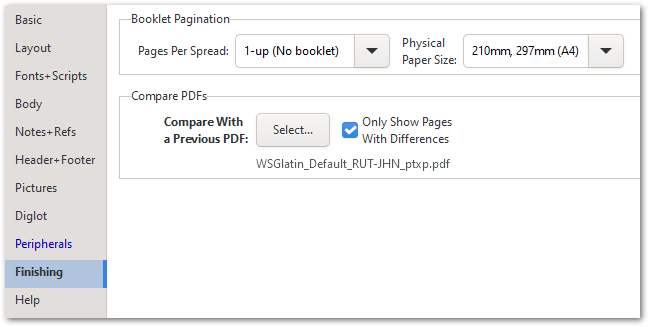
En general, confío en que esto es más intuitivo que la forma antigua de hacer las cosas.
Nice suggestion, @mjames! However, I decided that a more elegant solution was called for, and have just implemented that for release in the next version.
Notice that there is no Create “Diff” PDF button any more, so there is no need to use Ctrl+D to print a Diff; just use Ctrl+P as usual, and if the option is enabled, you’ll get the Diff processing. [But the Ctrl+D shortcut will just toggle that setting for you.]
This also helps to simplify the Basic View slightly:
Overall, I trust that this is more intuitive than the old way of doing things.
Traducción automática desde English








