谢谢——这真的有助于直观地看到问题,我也同意确实有些不对劲……
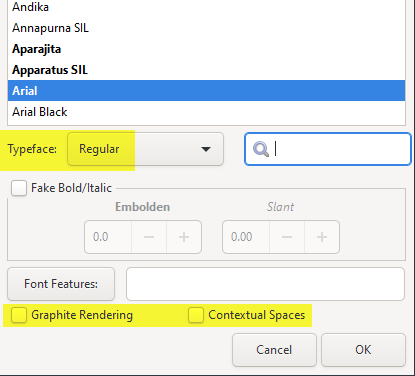
当你点击字体(Font)按钮时,
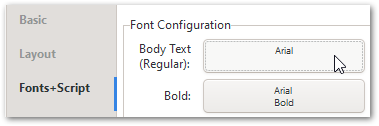
你是否看到所有默认值都已设置(或者那里有什么奇怪的情况)?
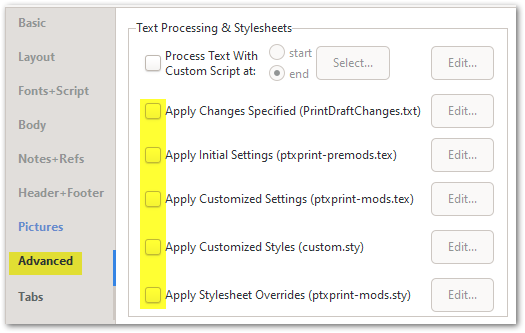
最后,我会关闭高级(Advanced)选项卡中可能勾选的任何附加 .sty 或 .tex 文件:
如果你仍然得到压缩的文本,那么有一个示例项目(选择 1 本小书)来操作会有帮助。使用高级(Advanced)选项卡上的 Create ZIP Archive… 按钮,然后将生成的文件发送到 ptxprint[underscore][Email Removed] 在创建归档之前,勾选“Archive temporary files, for debugging”选项可能也会有帮助。
Thanks - that really helps to see it visually, and I agree that something’s wrong…
When you click on the Font button,
Do you see all the default values set (or is there something strange going on there)?
And finally I would turn off any additional .sty or .tex files that might be checked on the Advanced tab:
If you’re still getting compressed text, then it would help to have a sample project (with 1 small book selected) to work with. Use the Create ZIP Archive… button on the Advanced tab, and then send the resulting file to ptxprint[underscore][Email Removed] It would probably also help to check the option “Archive temporary files, for debugging” before you create the archive.
机器翻译自 English








