I recently updated PTXprint to version 3.0.41, and now I can't print PDF because of this error:
PTXprint [3.0.41] - Error!
Failed to create: ASLat_Default_JON_ptxp.pdf
! Font \idf@nt="Source Code Pro" at 8.0pt not loadable: Metric (TFM) file or installed font not found.
l.38 \font\idf@nt="Source Code Pro" at 8pt
------------------------------------------------------------------------------------------
Cannot find the Font specified. Install it, restart PTXprint and try again
or change the font to one that is already installed. More details below.
Font: 'Source Code Pro' was found in Style settings for marker(s): zpmkr
I've tried changing the font for `zpmkr` to Arial or any other generic fonts, but then the error changed to this:
PTXprint [3.0.41] - Error!
Failed to create: ASLat_Default_JON_ptxp.pdf
! Font \idf@nt="Source Code Pro" at 8.0pt not loadable: Metric (TFM) file or installed font not found.
l.38 \font\idf@nt="Source Code Pro" at 8pt
------------------------------------------------------------------------------------------
Cannot find the Font specified. Install it, restart PTXprint and try again
or change the font to one that is already installed. More details below.
Font: 'Source Code Pro' specified in Fonts+Scripts was not found
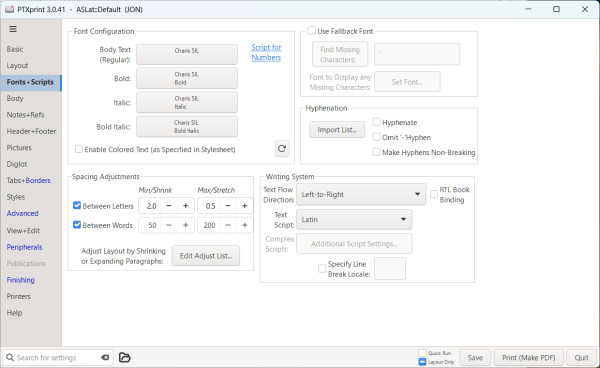
Now this is where it gets confusing. I'm using the default configuration that is Charis SIL, but somehow it thinks that Source Code Pro is being used here.
Any ideas?








