我希望我的 VE(回译)与我的方言(vernacular)具有相同的行距。
但我不知道在哪里可以调整我的 VE 的行距。
出于某种原因,我无法在这里上传我的部分截图。但您可以想象,右侧的方言圣经翻译使用了宽松的 1.5 倍行距,而左侧的回译使用了紧凑的 1.0 倍行距。我希望后者也变为 1.5 倍行距。
我查看了项目属性,但没有看到编辑任何样式表的方法。 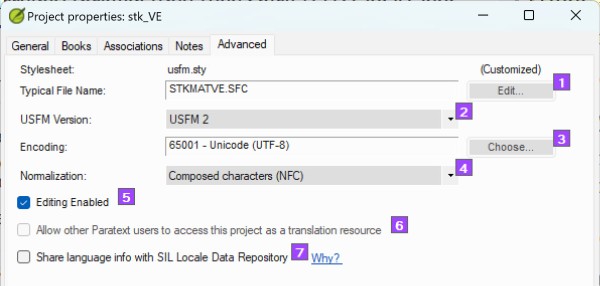
I would like to have the same line spacing for my VE as for my vernacular.
But I don't know where I can adjust the line spacing for my VE.
For some reason, I can't upload some of my screenshots here. But you can imagine, my vernacular Bible translation on the right has an open 1.5 line spacing, while my Back translation on the left has a tight 1.0 line spacing. I want the latter to be 1.5 as well.
I looked up the project properties, but I don't see a way to edit any stylesheets.
机器翻译自 English








