Hola @goodgoan
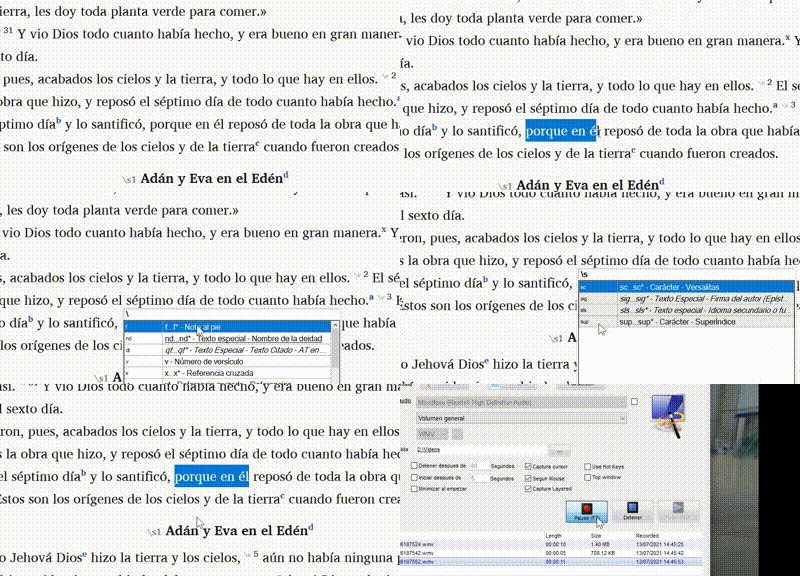
No estoy seguro de si entendí «desbloquear», pero si te refieres a «cómo encontrarlo» en Paratext, la forma más fácil de usar un marcador de carácter, para mí, es seleccionar el texto al que deseas aplicar el formato de superíndice, luego presionar F5 (para insertar una barra invertida) y, finalmente, buscar o escribir sup. Cuando veas el marcador, puedes hacer clic para aplicarlo o asegurarte de que esté seleccionado (con la línea azul) y luego presionar la barra espaciadora.
Saludos,
anon689242.
Hello @goodgoan
I’m not sure if I understood “unleash”, but if you mean “how to find it” in Paratext, the easiest way to use a character marker, for me, is to select the text you want to apply the superscript formatting to, then press F5 (to insert a backslash), and finally search or type sup. When you see the marker you can click to apply or make sure it is selected (with the blue line) and then press the spacebar.
Saludos,
anon689242.
Traducción automática desde English








