我有一位使用者在使用 PTXPrint 列印時遇到問題。他們收到的錯誤訊息類似於:
“Failed to v=create:ptxprint-Default_______”,其中空白處會填入我嘗試列印的 Fly River Tabo 書籍的檔案名稱。顯示該訊息的對話方塊名為 PTXprint [1.9} - Error!,在對話方塊下方還寫著……
! Font
然後,在對話方塊更下方……
字型相關問題。導致此錯誤最可能的原因是,所選的字型未為所有使用者安裝。”
他們能夠從一個相關專案(一種相關方言,其語言設定非常相似)進行列印。
當我查看該專案時,專案屬性 > 語言設定(Language Settings)連結是禁用的:
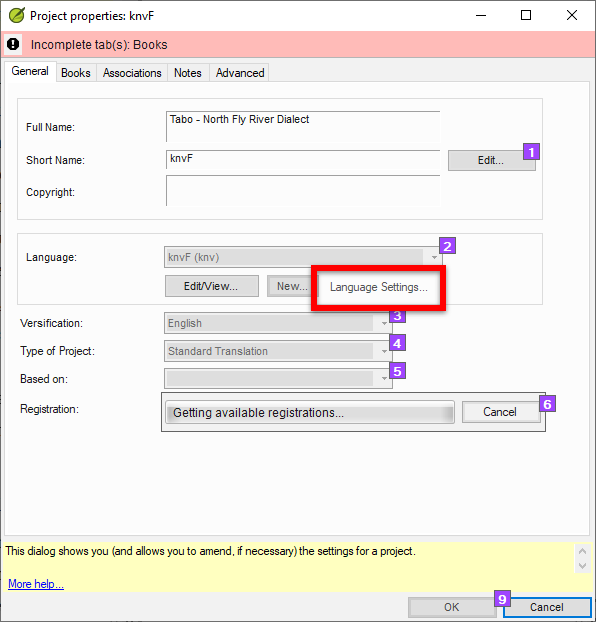
image596×622 16.7 KB
此外,在語言設定(Language Settings)下,複製字元(Copy Characters)按鈕也是禁用的:
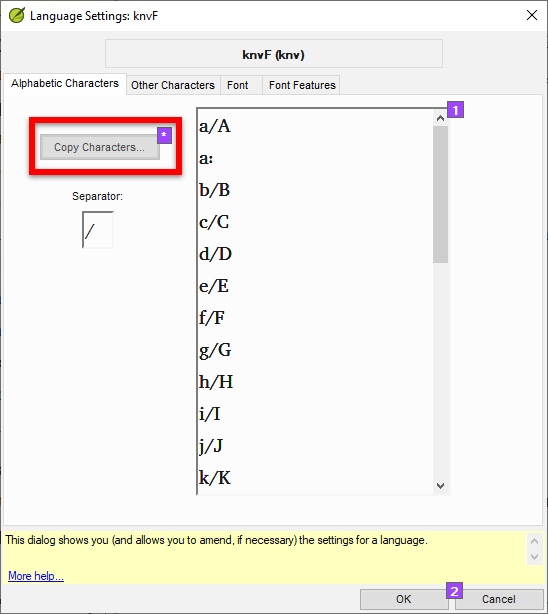
image548×614 12.6 KB
而在字型(Font)分頁中,字型下拉選單和“Reset to language default”按鈕也是禁用的:
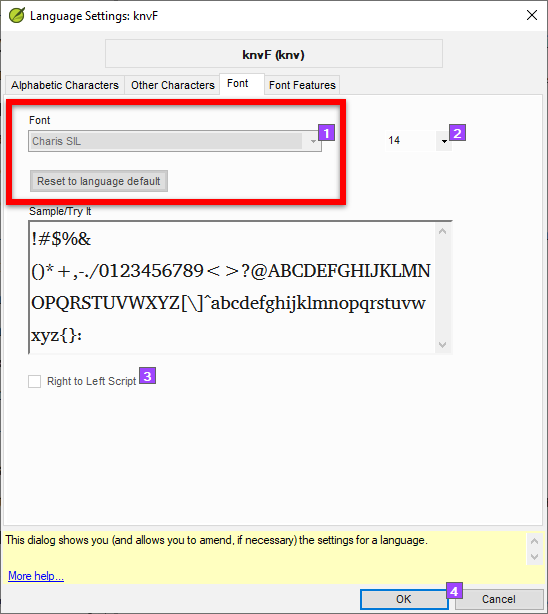
image548×614 15 KB
我嘗試從另一個方言專案複製可用的語言和設定檔案,但這並沒有解決問題。
因此,似乎還有其他設定不正確。有什麼建議可以修復這個問題嗎?
謝謝,
james_post
I have a user who has an issue printing with PTXPrint. The error they received is something like,
“Failed to v=create:ptxprint-Default_______” with the blank being filled by the file name of whatever Fly River Tabo book I attempt to print. The dialog box on which that message generates is called PTXprint [1.9} - Error! and further down in the box it says …
! Font
Then, lower down in the box …
Font related issue. The most likely reason fro this error is that the selected font has not been installed for all users."
They are able to print from a related project (a related dialect with very similar language settings).
When I looked at the project, the Project properties > Language Settings link was disabled:
image596×622 16.7 KB
Also under Language Settings, the Copy Characters button is disabled:
image548×614 12.6 KB
And on the Font tab, the font drop-down and “Reset to language default” button is disabled:
image548×614 15 KB
I tried copying the working language and settings files from the other dialect project, but it didn’t fix the issue.
So there seems to be some other setting that isn’t right. Any suggestions for how to fix this?
Thanks,
james_post
機器翻譯自 English








