0
599 次浏览

Hi, in paratext 8, I can see the name of the users who have editing rights on the current chapter and book in the title bar. In paratext 9 (9.0.100.16) , these names are not displayed. Is there a reason for this?Capture

较早的帖子 - 以原始语言显示
Paratext (150 分) 发布 | 599 次浏览

6 个回答

+2
最佳答案

Currently you can see if you have editing rights here via a tooltip (see yellow highlight):

image
The most straightforward change here, in terms of development, would be to add the names of anyone who has editing permission to this tooltip. This is our preferred way forward, as it is very simple. It also makes it clear who has editing permission here, where the current “editable” tooltip isn’t explicit - it doesn’t really tell you “you can edit this chapter”. The current “editable” tooltip also doesn’t help an admin know who else has editing permission here, because they don’t see it (unless they also have editing permission here).

We did also have UI to make this information visible without checking the tooltip, but there wasn’t time to implement it in the initial release of Paratext 9.0.

We had competing proposals:

  • Always show information about which people can edit here.
  • Only show whether or not you have editing permission here.

Something along the following lines:
Green icon/dot by the Paratext icon in the tab toolbar (or green scroll group badge): You have editing permission here, no one else does.
No coloured dot (or grey scroll group badge): no one has permission to edit here.
Orange: You have editing permission here, others do too (this would be green in the proposal where we only show whether you can edit here).
Black: You do not have editing permission here, someone else does (this would be omitted from the proposal where we only show whether you can edit here).
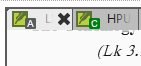
image
If there was no scroll group badge visible (this happens when there’s only one scroll group in use), a coloured dot would appear in that location to indicate whether someone has editing permission here.

Green and orange are colours which can be identified by people with most CVD types. Normally we would combine shape and colour so that the different states can be determined by someone with colour vision deficiency. However there is not a lot of space in the titlebars for extra things, we don’t want to clutter them and we can’t apply shape to the scroll group badge when we colour that. The information would also be discoverable via the title bar tooltip for colour vision deficient people (tooltip not accessed only via the icon). The main drawback of the design above, which combines the scroll group badges with the colour indicating who can edit this chapter is that those two things are not linked, and the separate meanings might be difficult to interpret.


较早的帖子 - 以原始语言显示
[Moderator]
(1.2k 分) 发布

已重新显示
0

I asked the same question in October 19
[Link Removed]
and was given this answer This was a deliberate change to simplify the interface.

Maybe if more people ask for the feature to be brought back, the developers might do it? It is one of the reasons I prefer using Paratext 8 for most of my projects. I am only using PT 9 for one project.
Iver+Larsen

较早的帖子 - 以原始语言显示
(869 分) 发布
已重新显示

Thanks

较早的帖子 - 以原始语言显示
+1

This information was also hidden for reasons of security. It is too easy when making screenshots to forget to redact user names (I see you did in yours). This is especially important for folk in sensitive areas. So making PT9 just NOT show them was an easy solution.

And while I personally agree with the simplification, as tabbing just won’t elegantly support such long “titles”, I do miss quickly seeing who currently has editing rights to a particular project.

So is it possible to make a mouse hover show the project name including who can edit it in the popup “tool-tip”?

较早的帖子 - 以原始语言显示
(370 分) 发布

I agree with davidc78 ’s explanation of why we made this change.

I’d like to take this to the User Interface people, suggesting they find an easy way to see who has editing rights on a project, such as a mouseover, and give them free reign to think about options. You probably won’t hear much until after Tuesday, due to Easter.

Blessings!

Jonathan+Robie

较早的帖子 - 以原始语言显示
0

I don’t see these tooltips in my PT9 in Wasta 18.04, updates applied. Currently, the only way I can see whether I have editing permissions is to resize a project pane, making the title bar wide enough to display the “(Editable)” label.

I like the idea of a coloured dot, but I don’t like moving the colour indicator from a dot to the scroll group badge, which adds the complexity of two different indicators for the same information. Would it be possible to place the coloured dot either above or to the left of the scroll group badge? It could overlap with the lower half of the Paratext icon, I think, or simply sit next to the upper half of the PT icon, whether the scroll group badge is present or not.

As an administrator I really do need to see the full editing permission list. Placing all editors in a tooltip sounds like a great idea.

Thank you again for a great product!

较早的帖子 - 以原始语言显示
(670 分) 发布
0

Perhaps one thing that would be helpful for us as users and for the developers to consider is what reason(s) we have for wanting to see the name of the person/people with editing rights.

I’m another one who misses this, but I also like simplicity and lack of clutter. The most common reason I’d like to know who has editing rights to a particular bit is so we as a team can decide who makes changes when we’re working as a team.

Obviously you can find out who makes changes by everyone trying to and then discovering who is able to do so without the orange bar appearing.

This note is helpful and it’s better than a modal dialogue box that we had before, but it’s rather annoying when you make an accidental change keystroke and it makes it a little cumbersome to remember who does have editing rights as well as being less than obvious when more than one person has editing permission.

Since I started writing this other messages came in suggesting the tooltip. This would probably be helpful.

Personally I don’t think it’s as important to mention ‘Standard Translation’ in the title bar. Different icons for distinguishing the kinds of translation and maybe a tooltip would be sufficient. The people who have the right to edit a portion seems more likely to be pertinent to me.

较早的帖子 - 以原始语言显示
(510 分) 发布

I also wanted to suggest that a grey/gray background for non-editable text would be a very helpful indicator too. That is a fairly common idiom on computers - white background means editable, and grey means displayed and selectable but not editable. That is used within Basic view, and obviously if some non-editable text is shown in Basic view there’s no point distinguishing between editable and non-editable (protected) text.

较早的帖子 - 以原始语言显示
0

Yes, all of these things are on our radar too. I agree the banner is a bit aggressive if you accidentally click in the wrong window. I’d like it if it could perhaps wait for a few keystrokes before appearing, or the window might flash an orange border to hint that this isn’t allowed for the first few keystrokes.

We’ve also thought about greying out the background of non-editable texts. We’d also like to be able to let people choose their background colour from white, dark or sepia someday. Personally I find a yellowish background easier to work with than white or dark modes. So we might do something else to hint that this text is non-editable, or do something which works with that suggestion. Then we have to make all of our highlights and callers work with each background/mode - there’s always a lot of theme work to do with contrast and CVD concerns.

较早的帖子 - 以原始语言显示
[Moderator]
(1.2k 分) 发布

相关问题

0
1 个回答 299 次浏览
image1552×703 86.2 KB 你好, 我是该项目(共三个管理员之一)的管理员,但我无法保存对“书名”(Book Names)的更改(见附件)。“确定”(OK)按钮是灰色的。我还没有找到修改权限以执行此操作的方法。 请注意,该项目的第一位管理员确实拥有此权限。我和另一位指定的管理员没有。 请问如何解决此问题? 谢谢 anon392948
anon392948 143 发布 提问于 二月 7, 2023
0
3 个回答 365 次浏览
当我在项目中将我的项目圣经术语列表设为默认,并打开 Biblical Terms 工具时,窗口标题正确地显示为 Project Biblical Terms: XXX(从法语翻译而来) 如果我选择不同的圣经术语列表,这个窗口的标题不应该更改以反映当前选 ... 员经常对当前处于哪个列表以及如何正确使用这些列表感到困惑 更新标题可能是朝着正确方向迈出的一步?
jeffh 1.4k 发布 提问于 十二月 2, 2020
0
3 个回答 342 次浏览
I am trying to adjust the line spacing of the main title in Print Draft in PrintDraft-mods.sty, because some main titles ... in the same way. How can the line spacing be changed?
Paulus Kieviet 517 发布 提问于 八月 21, 2019
0
1 个回答 210 次浏览
我们的项目使用非罗马字母书写系统,且没有大小写区分,因此将人名格式化为斜体有助于读者识别这些名称 有没有简单的方法来实现这一点?到目前为止,我使用 \pn 手动标记了其中一些,然后在 PTX Print 中将它们格式化为 ... (Biblical Terms)工具能够识别我们输入的专有名词,我想知道是否可以利用它以某种方式为它们全部添加标记?有什么建议吗?
MW 发布 提问于 七月 23, 2024
+4
4 个回答 673 次浏览
是否有人创建过,或者目前是否有人正在创建一个自定义的 Biblical Terms Tool 列表,其中包含圣经中的每个名字,并且每个名字都与旧约和新约中包含该名字的所有引用相关联? 跟踪在 Major Biblical Terms 中标记为 Name ... 名字的星标) 毫无疑问,还有我没想到的其他问题 但尽管有这些挑战,我认为这样一个列表会很有帮助
viverechristus 296 发布 提问于 六月 16, 2022
Welcome to Support Bible, where you can ask questions and receive answers from other members of the community.
Every day they continued to meet together in the temple courts. They broke bread in their homes and ate together with glad and sincere hearts, praising God and enjoying the favor of all the people. And the Lord added to their number daily those who were being saved.
Acts 2:46-47
3,046 个问题
6,006 个回答
5,671 条评论
2,026 位用户




