如果您正在使用 PTXprint,且這些標題使用的是 \s 標記,那麼您應該可以更改樣式(Style)。
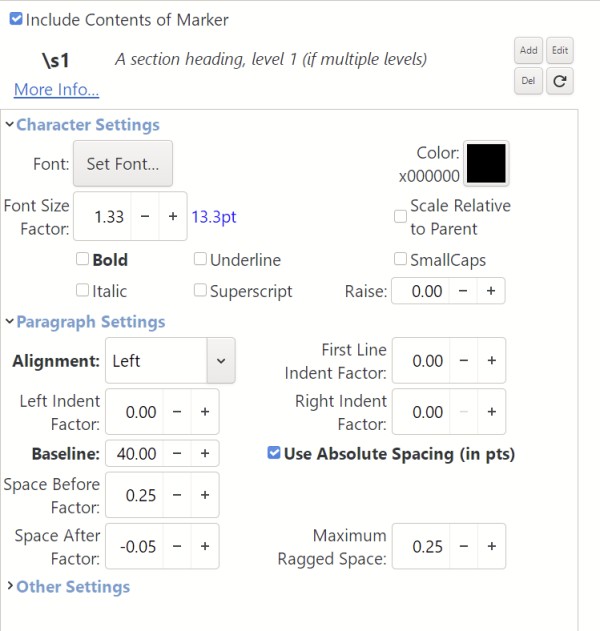
這需要您處於「完整檢視」(Full View)模式,才能看到所有設定。然後前往「樣式」(Styles)分頁並搜尋 "s"。您可能需要更改「前間距係數」(Space Before Factor)。請注意,如果該標題是粗體,只需點擊粗體文字,可能會將測量值重置為預設值並解決您的問題。
If you are using PTXprint, and if those headings are using the \s marker, then you should be able to change the Style.
This will require you to be in the Full View so that you can see all the settings. Then go to the Styles tab and search for "s". Likely you'll need to change the Space Before Factor. Note that if that title is in Bold, just clicking the bold text may set the measurement back to the default and solve your problem.
機器翻譯自 English








