नमस्ते @anon952029 - हाँ, PTXprint के भविष्य के अनुरोधों के लिए PTXprint समुदाय साइट को थोड़ा अधिक ध्यान से निगरानी में रखा जाता है।
कुछ जगहें हैं जहाँ मैं जाँचूंगा कि क्या आपके पास सही सेटिंग्स हैं। (1) Fonts+Scripts टैब। सुनिश्चित करें कि आप Full View का उपयोग कर रहे हैं (अन्यथा इन उन्नत सेटिंग्स में से कुछ आपके लिए दिखाई भी नहीं देंगे)।
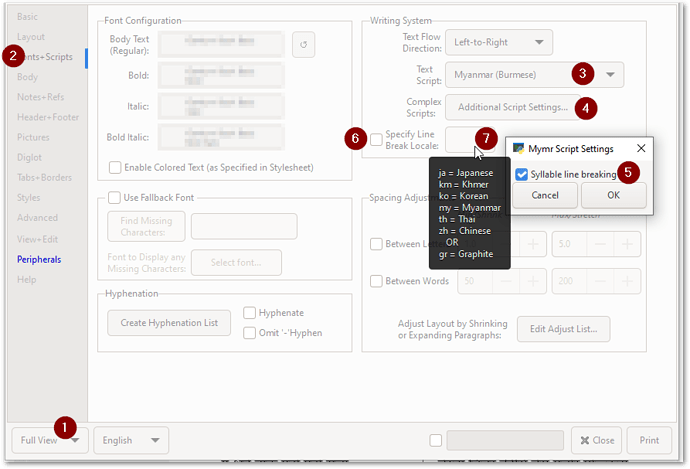
image893×608 45.7 KB
मेरा मानना है कि यदि आप Additional Script Setting का उपयोग कर रहे हैं और “Syllable line breaking” चालू है, तो आपको Line break Locale सेट करने की आवश्यकता नहीं है। लेकिन देखने के लिए कि इससे क्या अंतर पड़ता है, दोनों तरीकों से आज़माएं।
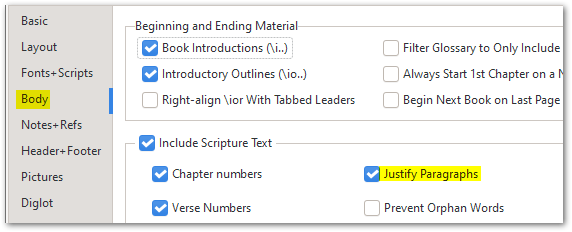
और फिर (2) Body टैब पर, सुनिश्चित करें कि Justify Paragraphs सक्षम है:
इसके बाद, सभी सामान्य Style चीज़ें लागू होती हैं (जैसा कि @mnjames ने ऊपर पहले ही संकेत दिया है)।
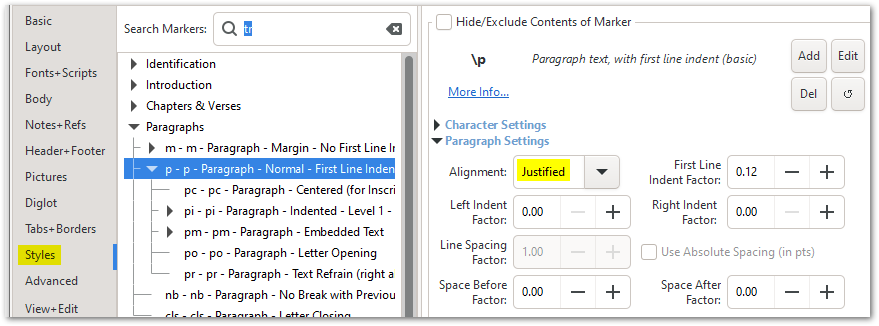
image879×326 27.1 KB
यदि आप अभी भी इसे अपनी आवश्यकता के अनुसार व्यवहार करने में संघर्ष कर रहे हैं, तो कृपया Help टैब पर वर्णित अनुसार एक छोटा आर्काइव फ़ाइल भेजें:
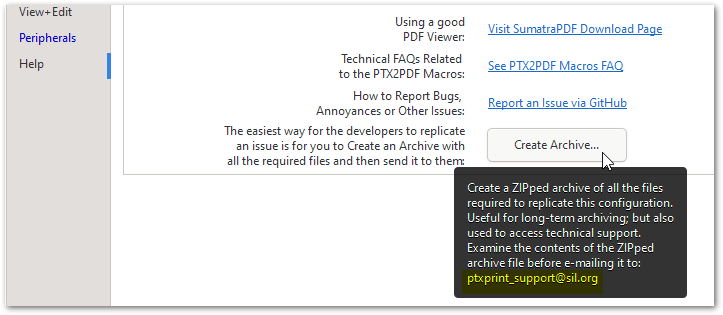
image723×315 19.5 KB
Hi @anon952029 - Yes, the PTXprint community site is monitored a bit more closely for any future requests about PTXprint.
There are a couple of places I would check to see that you’ve got the right settings. (1) The Fonts+Scripts tab. Make sure you are using Full View (otherwise some of these advanced settings won’t even appear for you).
image893×608 45.7 KB
I don’t think you need to set the Line break Locale if you are using the Additional Script Setting and have “Syllable line breaking” turned on. But try it both ways to see what difference it makes.
And then on (2) Body tab, make sure that Justify Paragraphs is enabled:
After that, all the usual Style things apply (as @mnjames has already pointed out above).
image879×326 27.1 KB
If you are still struggling to make it behave as you need it to, then please send a small archive file as explained on the Help tab:
image723×315 19.5 KB








