你好 @Iver+Larsen,
我通过将 Windows 字体大小设置改得非常大,成功复现了这个问题。
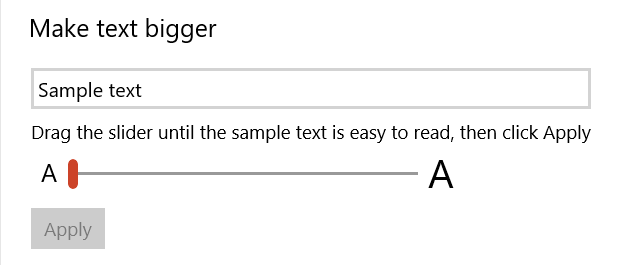
可以在“轻松使用” > “显示”中找到此设置。你也可以在 Windows 菜单中输入“文本大小”,这会弹出“放大文本大小”选项。
正如你所说,这会导致某些工具栏出现问题,这些工具栏似乎具有固定高度。如果译员确实需要这么大的文本,你可以尝试“控制面板” > “显示”下的其他 Windows 缩放选项。如果 Paratext 显示模糊,你可能需要调整高级缩放选项。
Hi @Iver+Larsen,
I was able to reproduce this by changing the windows Font size settting to be very large.
This setting can be found under Ease of Access > Display. You can also find it by typing ‘text size’ into the windows menu, which brings up “Make Text Size Bigger”.
As you said, it causes problems with certain toolbars which seem to have a fixed height. If the translator does need that large text, you might try some of Windows’ other scaling options under Control Panel > Display. If Paratext comes out blurry, you might have to play with the Advanced Scaling options.
机器翻译自 English








