0 votes
342 vues

In PT8 you could have a complicated windows layout and could temporarily increase a single project to fill the entire PT windows. When you reduced it, it would then go back to its original position in the layout. It used the middle icon in each of these pictures to increase and reduce, respectively:
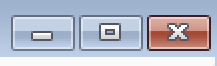
image image

I’ve independently had two different translators ask if they can do the same thing in PT9. While I can find workarounds–such as opening the project as a floating windows, increasing the size, then dragging it back onto it’s panel in the main layout–I haven’t found anything nearly as easy or intuitive as the PT8 way of doing things. Am I missing something, or has this functionality been lost in PT9?


Ancienne publication - affichée dans sa langue d'origine
Paratext par (1,9k points)
réaffiché | 342 vues

1 Réponse

0 votes
Meilleure réponse

Right click on the title bar of the window and choose Open as a floating window.
grafik
To get the window back into the Paratext main window, right click on the title bar again and choose Dock window.

Ancienne publication - affichée dans sa langue d'origine
par (872 points)

Yes, I had put that in my original message as a “workaround”, but I don’t see it as being as easy or intuitive as the PT8 method was. It requires more keystrokes, and when you re-dock the window it doesn’t go back to where it originally was in the layout.

Ancienne publication - affichée dans sa langue d'origine

In PT9 there is an “undo move” option on the Main Paratext menu (ctrl+shift+z). So, if you float your window and then use ctrl+shift+z it will restore it to where it was. The undo move will remember the list of actions and continue to undo previous actions.

Ancienne publication - affichée dans sa langue d'origine

Thanks anon848905. That’s not as easy to use as PT8, but it certainly is an improvement over drag-drop to getting it back into place. At least for me… I’m used to key command shortcuts. I’ll have to wait and see what the users who asked about this think of that undo move feature.

Ancienne publication - affichée dans sa langue d'origine

Questions connexes

0 votes
3 réponses 594 vues
Une personne ayant le rôle de consultant, qui a obtenu temporairement le rôle d'administrateur en maintenant la ... rôle d'Administrateur existant en Observateur pour ce projet ?
anon212107 105 posée févr. 27, 2020
0 votes
1 réponse 355 vues
Un autre utilisateur vient de me demander comment augmenter la taille de police dans Parallel Passages. Pour le ... affichée en Times 12 dans Parallel Passages ? Paulus+Kieviet
Paulus Kieviet 517 posée oct. 3, 2022
0 votes
3 réponses 406 vues
The size of the Hebrew text in the lemma(s) column on the computer of one translator is just too small. Where can I change ... using Ctrl + scroll wheel, but that's not the same.
lichti 872 posée oct. 5, 2018
0 votes
3 réponses 518 vues
Je serais reconnaissant de pouvoir ajuster la taille de la police du menu. La taille de la police est si ... sur mon écran externe. Est-ce possible ? Cordialement, anon647698
anon647698 114 posée févr. 10, 2021
0 votes
2 réponses 313 vues
Firstly, in this message: File or diffs not displayed: File is larger than the specified max size. maxdiff = 1024 KB ... warning? Can I change a setting so that it always displays?
wdavidhj 1,4k posée févr. 8, 2019
Welcome to Support Bible, where you can ask questions and receive answers from other members of the community.
Give proper recognition to those widows who are really in need.
1 Timothy 5:3
3,051 questions
6,008 réponses
5,673 commentaires
2,030 utilisateurs