I had a hard time figuring out how to remove myself from a Consultant Notes project that I don't own, so I thought I'd share the steps I found.
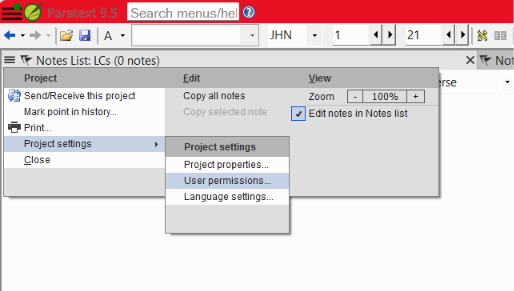
From the project's menu, go to "Project Settings > User Permissions..."
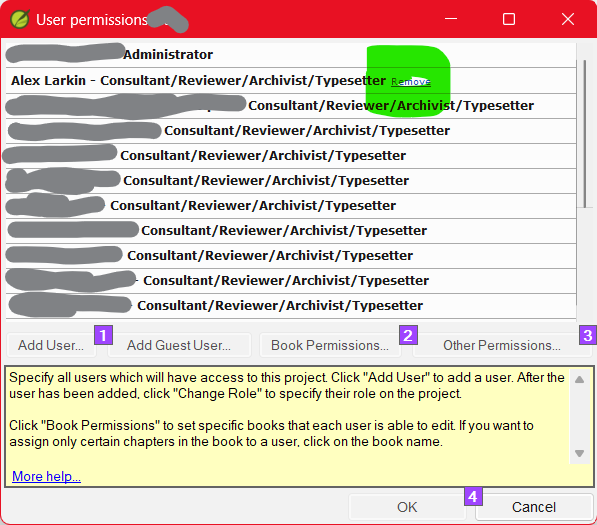
Click "Remove" next to your name in the list.

Click yes. It will also remove your computer's local copy.
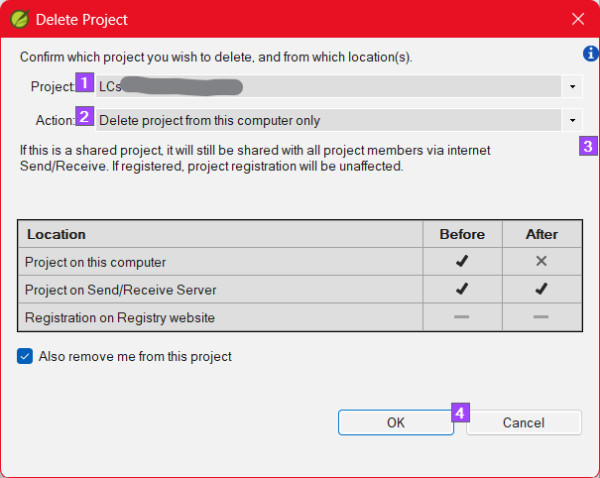
"Also remove me from this project" should already be selected. Hit "OK"
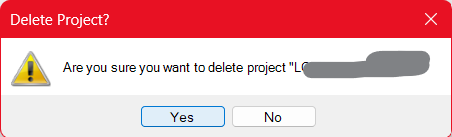
Click "OK" on the final confirmation.- The project disappears.
Maybe there is an easier way. If so, feel free to comment!








