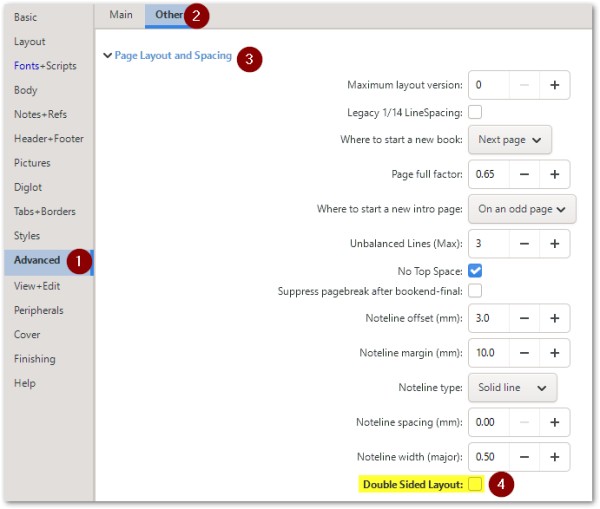
现在这变得更加简单了,因为在 Advanced (高级)> Other(其他)选项卡 > Page Layout and Spacing(页面布局和间距)选项中增加了一个选项。禁用 Double Sided Layout(双面布局)选项即可。
(如果您使用此设置,显然就不需要在 .tex 文件中添加之前回答中提到的那一行了。)
This has now been made even easier by adding an option to the Advanced > Other tab > Page Layout and Spacing options. Disable the option Double Sided Layout.
(If you use this setting, then you obviously don't need to add the line in the .tex file as described in a previous answer).
机器翻译自 English








