你好,抱歉一个月前才看到这条消息,之前一直没注意到。
是的,挖空(cutouts)当然是可行的。
关于侧边栏的完整文档在这里:https://github.com/sillsdev/ptx2pdf/blob/master/docs/documentation/SideBars.md,不幸的是,其中位置列表过长,不小心被截断了。 不过关键部分还在:“可以指定任意图像位置”。
用户界面一直在改进,但由于侧边栏使用频率不高,目前仍不完美;你需要打开手动样式表并输入类似以下内容:
\Marker cat:history|esb
\Position co
\Scale 0.5
这将在页面的“外侧”(远离装订边的一侧)创建一个宽度为栏宽 0.5 倍的挖空侧边栏,类型为“\cat 历史\cat*”。
之后,你可以随意调整边框、“logo”、背景图、内边距等。
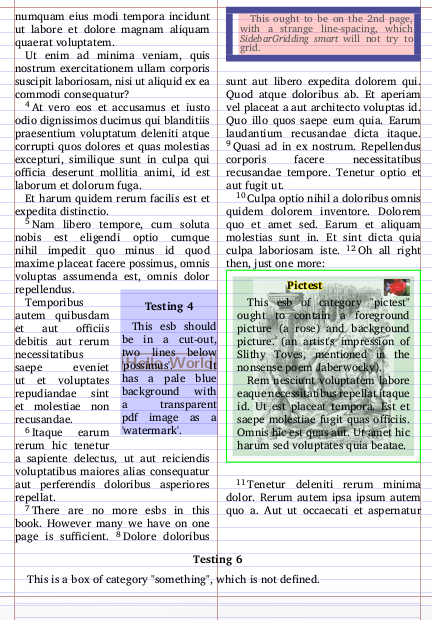
这是一个测试用例,尝试拉伸代码:
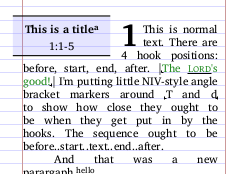
以及一个自动转换的章节标题侧边栏,设置为挖空:
Hi, sorry for not seeing this a month+ ago, I didn't see it.
Yes, cutouts are certainly possible.
The full documentation on sidebars is here:https://github.com/sillsdev/ptx2pdf/blob/master/docs/documentation/SideBars.md and unfortunately there's a mistake that the long list of positions was accidentally be truncated. The important part was there, though: "Any image position may be specified".
The user interface has been improving, but sidebars aren't in heavy use it's still not perfect yet; you'll have to open a manual style sheet and say something like:
\Marker cat:history|esb
\Position co
\Scale 0.5
That will put a "\cat history\cat*" type side bars in a cutout, 0.5 of the column width, on the 'outer' part of the page - away from the binding edge.
You may then play with the borders, 'logo', background figure, padding, etc. as much as you like.
A test-case, trying to stretch the code:
And an automatically-converted section-header sidebar, set as a cutout:
机器翻译自 English








