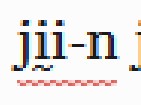
我們正在為印刷做準備,對兩部不同的聖經譯本進行最後的潤飾(太棒了!)。我們已經檢查了這兩個專案的完整文字列表,列表中沒有剩餘的錯誤或不確定的詞彙。但在我審閱文字時,我不斷看到一些詞彙被標記為拼寫錯誤(如下劃線所示):
當我右鍵點擊時,它顯示該詞被大寫,彷彿 Paratext 認為它應該以大寫字母書寫。
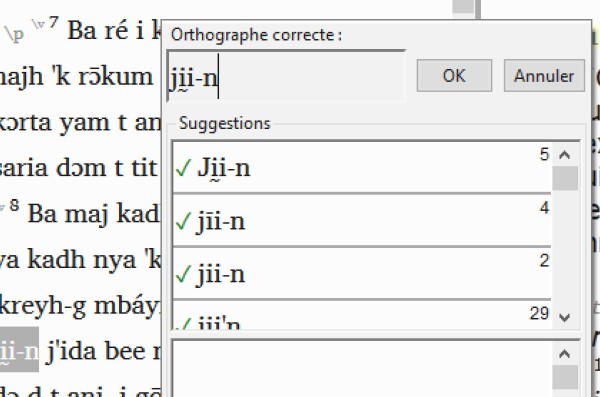
該詞在文字列表中被標記為正確,但在文字中卻被標記為錯誤。但當我嘗試在文字列表中執行大寫檢查時,它什麼都沒找到。為什麼它在文字中標記該詞,卻不在文字列表中標記?
我可以透過點擊「ok」(或在必要時更正該詞)來消除錯誤,但我除了手動瀏覽所有 66 卷書(外加附加內容)並尋找帶下劃線的詞彙外,沒有其他方法來找到這些被標記的詞彙。有人能告訴我該怎麼辦嗎?
We're in the final stages of polishing up two different Bible translations in preparation for printing (yay!). We have been through the entire word list for both projects, and we have no remaining incorrect or uncertain words in the list. But as I've been reviewing the text, I keep seeing words underlined as though they are spelling errors:
When I right-click on it, it shows up as capitalized as though Paratext thinks it should be written with a capital letter.
The word is marked as correct in the word list, but underlined in the text as an error. But when I try to run the capitalization check in the word list, it finds nothing. Why is it flagging the word in the text but not in the word list?
I can make the error go away by clicking "ok" (or if necessary, correct the word) but I have no way to find the words being underlined other than by looking through all 66 books (plus add-ons) and looking manually for underlined words. Can someone advise me what to do?
機器翻譯自 English








