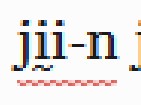
我们正处于为印刷做准备而润色两个不同圣经译本的最终阶段(太棒了!)。我们已经检查了这两个项目的整个词汇表,列表中已经没有剩余的错误或不确定的词汇。但在我审阅文本时,我不断看到一些单词被下划线标出,就好像它们是拼写错误一样:
当我右键单击它时,它显示为大写,就好像 Paratext 认为它应该以大写字母书写。
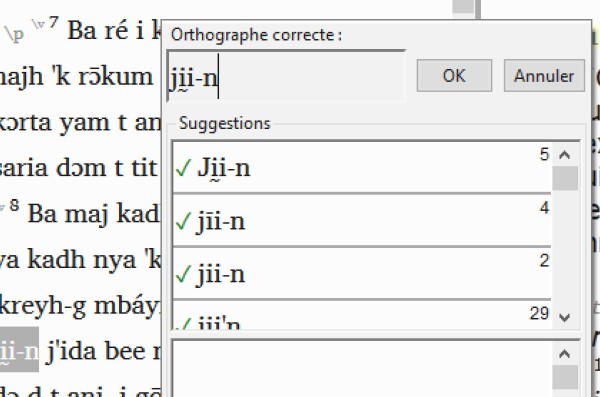
该单词在词汇表中被标记为正确,但在文本中却被下划线标出为错误。但当我尝试在词汇表中运行大写检查时,它什么也没找到。为什么它在文本中标记该单词,而在词汇表中却没有?
我可以通过点击“ok”(或者在必要时更正该单词)来消除错误,但我除了通过浏览所有 66 卷书(外加附录)并手动查找带下划线的单词外,没有任何方法可以找到这些被下划线标出的单词。有人能建议我该怎么办吗?
We're in the final stages of polishing up two different Bible translations in preparation for printing (yay!). We have been through the entire word list for both projects, and we have no remaining incorrect or uncertain words in the list. But as I've been reviewing the text, I keep seeing words underlined as though they are spelling errors:
When I right-click on it, it shows up as capitalized as though Paratext thinks it should be written with a capital letter.
The word is marked as correct in the word list, but underlined in the text as an error. But when I try to run the capitalization check in the word list, it finds nothing. Why is it flagging the word in the text but not in the word list?
I can make the error go away by clicking "ok" (or if necessary, correct the word) but I have no way to find the words being underlined other than by looking through all 66 books (plus add-ons) and looking manually for underlined words. Can someone advise me what to do?
机器翻译自 English








