Terima kasih - itu sangat membantu untuk melihatnya secara visual, dan saya setuju bahwa ada sesuatu yang salah…
Ketika Anda mengklik tombol Font,
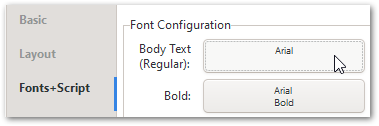
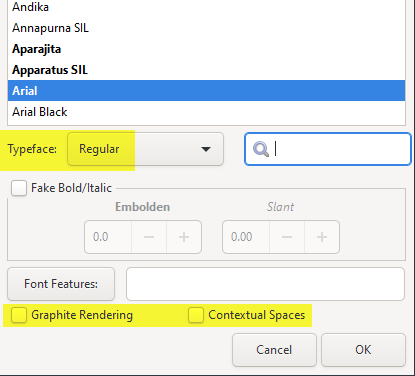
Apakah Anda melihat semua nilai default yang disetel (atau ada sesuatu yang aneh di sana)?
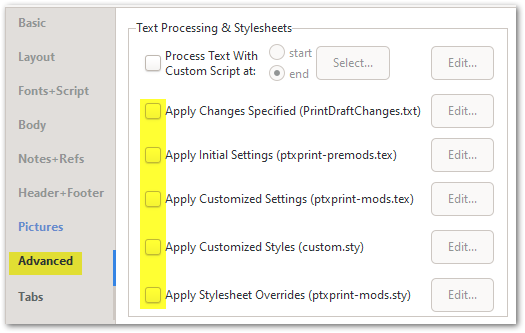
Dan akhirnya, saya akan mematikan file .sty atau .tex tambahan apa pun yang mungkin dicentang di tab Advanced:
Jika Anda masih mendapatkan teks yang terkompresi, maka akan sangat membantu jika memiliki proyek sampel (dengan 1 buku kecil yang dipilih) untuk dikerjakan. Gunakan tombol Create ZIP Archive… di tab Advanced, lalu kirimkan file yang dihasilkan ke ptxprint[underscore][Email Removed] Kemungkinan besar juga akan membantu untuk mencentang opsi “Archive temporary files, for debugging” sebelum Anda membuat arsip.
Thanks - that really helps to see it visually, and I agree that something’s wrong…
When you click on the Font button,
Do you see all the default values set (or is there something strange going on there)?
And finally I would turn off any additional .sty or .tex files that might be checked on the Advanced tab:
If you’re still getting compressed text, then it would help to have a sample project (with 1 small book selected) to work with. Use the Create ZIP Archive… button on the Advanced tab, and then send the resulting file to ptxprint[underscore][Email Removed] It would probably also help to check the option “Archive temporary files, for debugging” before you create the archive.
Diterjemahkan secara otomatis dari English








