基于 DG 的评论:“一种选择是使用 changes.txt 文件,但这会变得有点杂乱,因为你需要将每个斜杠加倍。”
不过,有一种简单的方法可以做到这一点:
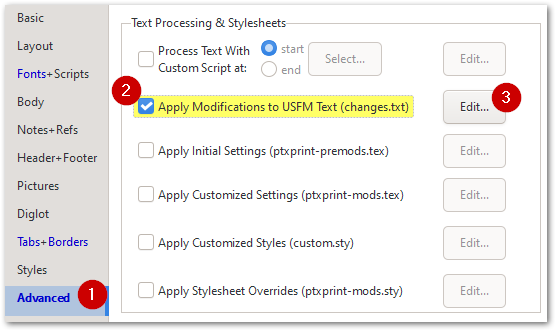
然后在出现的 changes.txt 选项卡中,使用代码片段(Code snippets)插入规则,该规则将为每一卷书添加一个扉页:
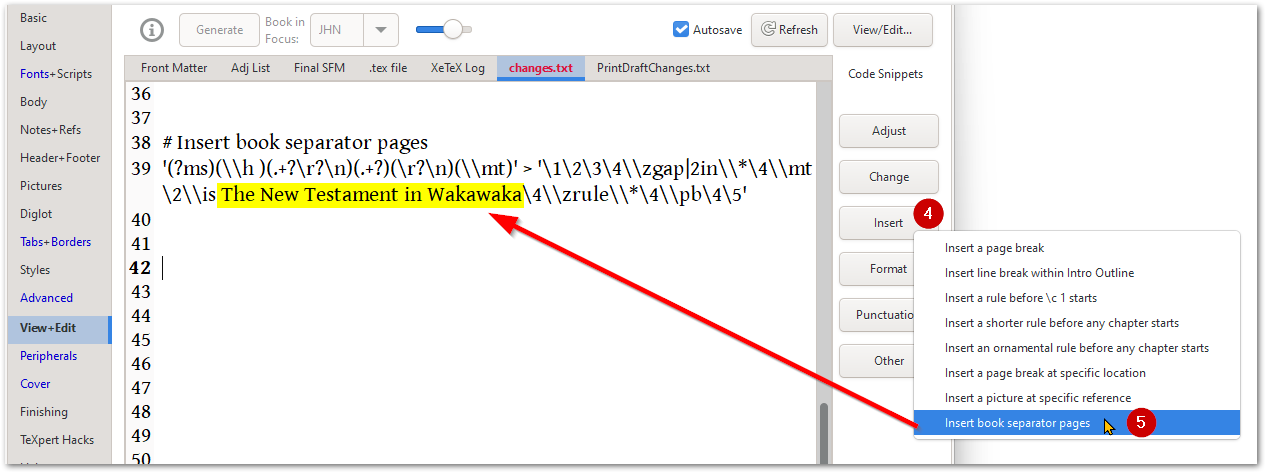 你可能希望将黄色部分更改为其他内容,或完全删除它。如果你不希望书名下方出现任何名称,请使用 \is ~ 来表示那里有一个空格。你可以根据需要更改代码,但本质上你是在 USFM 文件被处理时注入一些文本(这不会存储在你的 Paratext 文件中)。
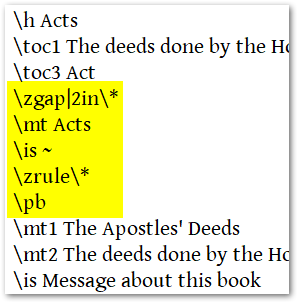
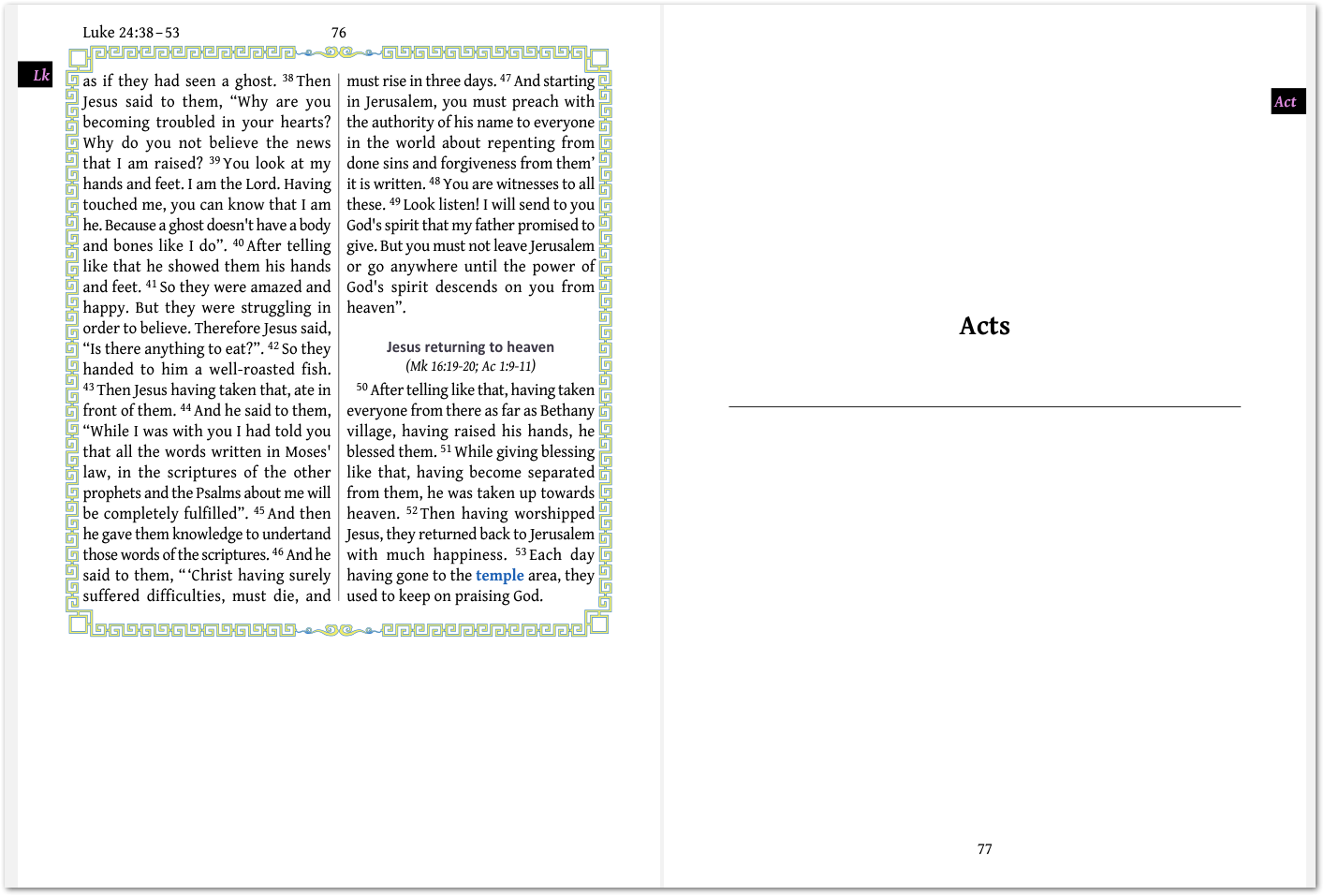
如果你只想在 ACT 之前发生这种情况,而不是在 LUK 之前,请将规则的开头更改为:
at ACT '(?ms)(\\h )(.+?\r?\n)(.+?)(\r?\n)(\\mt)' > '\1\2\3\4\\zgap|2in\\*\4\\mt \2\\is ~\4\\zrule\\*\4\\pb\4\5'
Building on DG's comment: "One option is to use the changes.txt file, but that gets a bit messy, with you needing to double every slash."
There is an easy way to do this though:
Then on the changes.txt tab that appears, use the Code snippets to insert the rule which will add a title page to EVERY book:
You may want to change the piece in Yellow to say something else, or remove it completely. If you don't want any name to appear under the Book name, then use \is ~ to indicate a space there. You can change the codes as needed, but essentially you are injecting some text into the USFM file as it gets processed (this is NOT stored in your Paratext file).
If you only want this to happen before ACT and not also at LUK, then change the beginning of the rule to say:
at ACT '(?ms)(\\h )(.+?\r?\n)(.+?)(\r?\n)(\\mt)' > '\1\2\3\4\\zgap|2in\\*\4\\mt \2\\is ~\4\\zrule\\*\4\\pb\4\5'
机器翻译自 English








