हाँ…मैं इसे सही तरीके से टाइप कर रहा हूँ। मैं ओपनिंग मार्कर (\k) दर्ज करता हूँ, फिर मैं वांछित टेक्स्ट टाइप करता हूँ, फिर मैं \k को फिर से टाइप करता हूँ। इस बिंदु पर, \k* मार्कर को हाइलाइट होना चाहिए और मुझे बस enter दबाना चाहिए। लेकिन अधिकांश बार मुझे निम्नलिखित मिलता है:
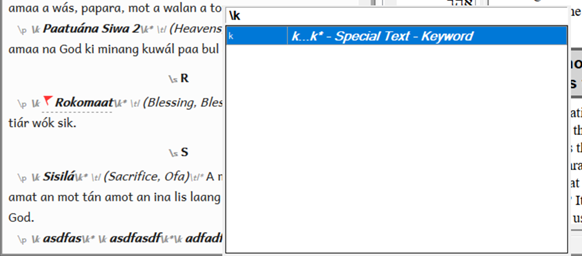
यदि मैं इस बिंदु पर enter दबाता हूँ, तो यह केवल \k ओपनिंग मार्कर को दर्ज करता है और \k* एंडिंग मार्कर को नहीं।
यदि मैं टेक्स्ट के बाद केवल \ टाइप करता हूँ, k" के बिना, तो यह मुझे \k* विकल्प देता है, लेकिन यह सूची में 5वां या 6वां विकल्प है। मैं इसे अपने माउस से चुन सकता हूँ, लेकिन मैं बस enter नहीं दबा सकता।
मेरे पास एक custom.sty फ़ाइल है, लेकिन जितना मैं बता सकता हूँ, ऐसा लगता नहीं है कि यह समस्या का कारण बन रही है। .ty फ़ाइल में यह है
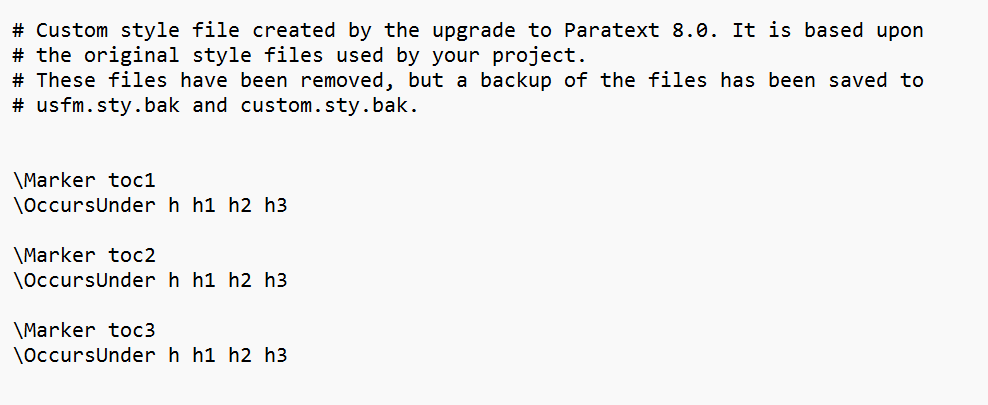
image988×405 7.99 KB
कोई विचार???
धन्यवाद
Yeah…I’m typing it the correct way. I enter the opening marker (\k) then I type in the desired text, then I type the \k again. At this point, the \k* marker should be highlighted and I should be able to just hit enter. But most of the time I get the following:
If i hit enter at this point it just inserts the \k opening marker and not the \k* ending marker.
If I just type the \ without the k" after the text then it does give me the \k* option, but it’s the 5th or 6th option down on the list. i can select it with my mouse, but i can’t just hit enter.
I do have a custom.sty file, but it doesn’t seem to be causing the issue as far as i can tell. This is what is in the .ty file
image988×405 7.99 KB
Any thoughts???
Thanks








