感谢您发送存档。我仍然不确定您的新 PDF 有何不同,但我发现 C:\Program Files\ptxprint\PDFassets\border-art 文件夹中已经有一个(命名不佳的).pdf,它“更高”,专为阿拉伯语脚本设计:
A5 section head border(RTL).pdf - 不幸的是,由于文件名中的(括号),它目前无法正常工作(但这将在 PTXprint 的下一个版本中修复)。
但是,作为一种变通方法,如果您更改 PDF 文件名,然后使用该 PDF,它对于您的需求来说工作得非常好,并且可以缩放而不会失真。
因此,例如,将名称更改为:
A5 section head border-RTL-taller.pdf
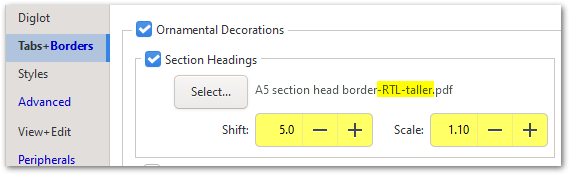
请注意,您还可以将图形稍微向下 SHIFT(移动),并在需要时将其 SCALE(缩放)得更大。
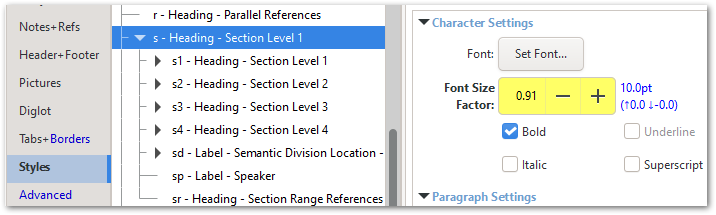
您可能需要考虑对 \s 样式的大小进行小幅调整,以便上标和下标变音符号都能适应可用空间。
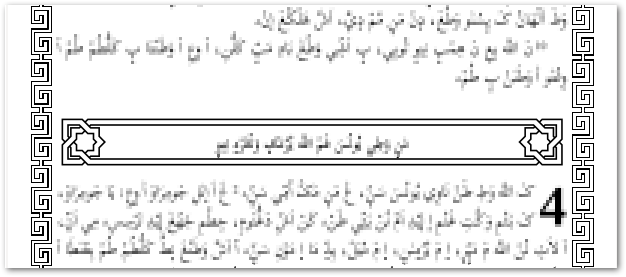
一旦您获得了正确的设置,一切都配合得很好!
看起来动态生成的 Text Border(文本边框)也需要调整一些设置:
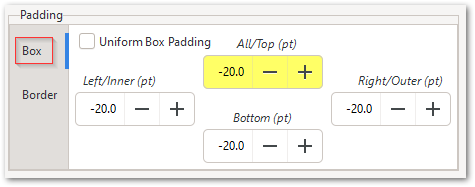
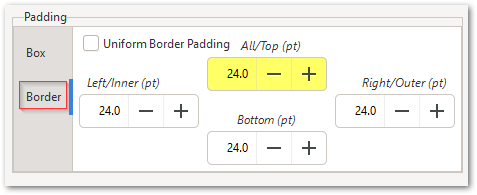
请注意,有 Box padding(框内边距)和 Border padding(边框内边距)设置;使用负数的 Box Padding(框内边距)可能会有帮助。
Thanks for sending the archive. I'm still not sure how your new PDF was different, but I found that there is already a (badly named) .pdf in the C:\Program Files\ptxprint\PDFassets\border-art folder which is 'taller' and designed for Arabic script:
A5 section head border(RTL).pdf - unfortunately, it doesn't work as it is, due to the (parentheses) in the filename (but this will be fixed in the next release of PTXprint).
But, as a workaround, if you change the PDF file name and then use that PDF, it works very well for what you need, and scales without distorting.
So, for example, change the name to be:
A5 section head border-RTL-taller.pdf
Notice that you can also SHIFT the graphic down slightly, and SCALE it to be larger if needed.
And you may want to consider making a small change in size to the \s Style so that the upper and lower diacritics all fit in the space available.
It all fits quite well once you've got the right settings!
It looks like the dynamically-generated Text Border also needs some settings tweaked:
Note that there are Box padding and Border padding settings; and it might help to use negative Box Padding.
机器翻译自 English








