在 Word 中開啟 RTF 檔案後,使用「尋找/取代」功能,搜尋格式 > 樣式 > v - 節號
取代為空白。這將移除節號,使文字朗讀時不包含數字。
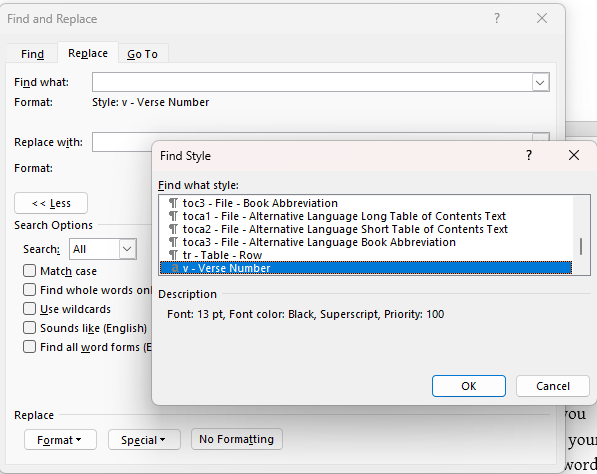
After you open the RTF in Word, use the Find/Replace to search for the Format > Style > v - verse number
Replace with nothing. This will remove the verse numbers and allow the text to be read without the numbers.
機器翻譯自 English








