Mark 要求這裡應該有一些關於如何從 PDF 添加頁面的說明。
(另請參見 插入整個 PDF)
所以,嗯,這是第一次嘗試。
假設我們有一個 2 頁的 PDF……我剛做了一個。這是它的 2 頁檢視:
我使用的是其中一個測試檔案,它包含花哨的章節標題,以及 GEN、LEV(有玫瑰的那頁)和 MRK 的單頁「書卷」,其中 MRK 有 2 頁:
-
將檔案放入專案的 figures 目錄(在 Linux 上為 ~/Paratext9Projects/PROJID/figures)。這個簡單的步驟意味著該檔案也可以供其他人使用,或者當你在足夠多的電腦上進行足夠多次的 Paratext 傳送/接收(send+receive)後,也可以在你的其他電腦上使用。
-
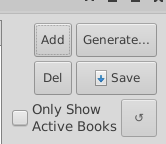
在 PTXprint 中開啟「圖形」(figures)標籤頁,並點擊「新增」(Add)
-
選擇 PDF 檔案
-
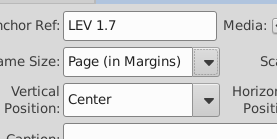
設定錨點參考。在這個例子中,我使用的測試檔案在 LEV 1.7 和 MRK 1:1 之間沒有任何內容。我將指示它在 LEV 1.7 之後包含該圖像。

-
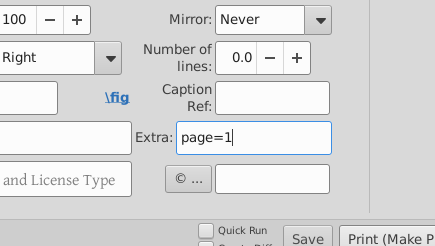
通過在「其他」(extras)框中輸入 page=1 來選擇我們想要的 PDF 檔案頁面:
-
設定大小……我們這裡需要頁碼,所以我將選擇 Page (in Margins)
-
按下列印,哦,看,它在那裡:
-
讓我們添加另一頁,這次不要頁碼……所以新增圖像,選擇檔案和頁碼。嘿,這很奇怪,為什麼 page=1 還在那裡?(@mjpenny)? 設定錨點,再次使用 LEV 1.7,將頁面大小設定為 Page (to Edge) 然後按下列印……
哦。沒有圖片。
看來,雖然 TeX 可以處理同一參考中「同一圖像」的多個副本(即使是第 2 頁,而不是第 1 頁),但使用者介面不願意為我們這樣做。它只是忽略了第二頁。
讓我們將第一頁的錨點設定為 LEV 1.6,第二頁設定為 LEV 1.7(記住,在給出錨點參考時要使用點號,而不是冒號!)
太棒了! 我們有了兩頁。需要注意的事項:
- 以這種方式操作時,兩頁被視為單獨的圖像。
- 如果我們選擇
Page (to Margins),則網格線、頁眉和頁腳會被包含在內;如果我們說 Page (to Edge),則不會包含。
- 如果你仔細看,你會發現 LEV1.6 上有一朵玫瑰,以及整頁圖像。XeTeX 不介意多個圖像錨定在一個節上,只是使用者介面有點挑剔,沒有寫入檔案。
- 鏡像和旋轉是有效的(儘管對文字進行鏡像處理可能不是最好的做法!)
Mark asked that there be something here about how to add pages from a PDF.
(see also inserting an entire PDF)
So, urm, here’s a first go.
Let’s assume we have a 2 page PDF… I’ve just made one. Here it is in 2 page view:
I’m using one of the test files, which has fancy section headers and single page ‘books’ for GEN, LEV (the page with roses), and MRK, which has 2 pages:
-
Put the file into the project’s figures directory (~/Paratext9Projects/PROJID/figures on linux). This simple step means that the file becomes available to others too, or even your other computers, when you’ve done send+receive with Paratext enough times on enough computers.
-
Open the figures tab on PTXprint and click on ‘Add’
-
Select the PDF file
-
Set the anchor reference. For this example, I’m working in a test file that has nothing between LEV 1.7 and MRK 1:1. I’ll tell it to include the image after LEV 1.7.
-
Select the page of the PDF file that we want, by entering page=1 in the extras box:
-
Set the size… We want page numbers here, so I’ll select Page (in Margins)
-
Press print, oh, look there it is:
-
Lets add the other page, this time without page numbers… so Add image, select the file, and the page number. Hey, that’s odd, why is page=1 still there? (@mjpenny)? Set the anchor, LEV 1.7 again, set the page size to be Page (to Edge) And hit print…
Oh. No picture.
It seems that while TeX can cope with multple copies of ‘the same image’ (even if it is page 2, not page 1) on the same reference, the user interface doesn’t want to do that for us. It just ignores the second page.
Let’s set the anchor for the first page to LEV 1.6 and the second to LEV 1.7 (remember to use a dot, not a colon when giving the anchor references!)
TaDa! we have both pages. Things to notice:
- The two pages are treated as separate images when you do it this way.
- If we select
Page (to Margins), then the grid lines, and page headers and footers get included, if we say Page (to Edge) they don’t.
- If you looked carefully, then you’d see that there’s a rose on LEV1.6 as well as the full page image. XeTeX doesn’t mind multiple images anchored to one verse, it was just the user interface getting uppity and not writing the file.
- Mirroring and rotation work (though perhaps mirroring isn’t the nicest thing to do to text!)
機器翻譯自 English








